
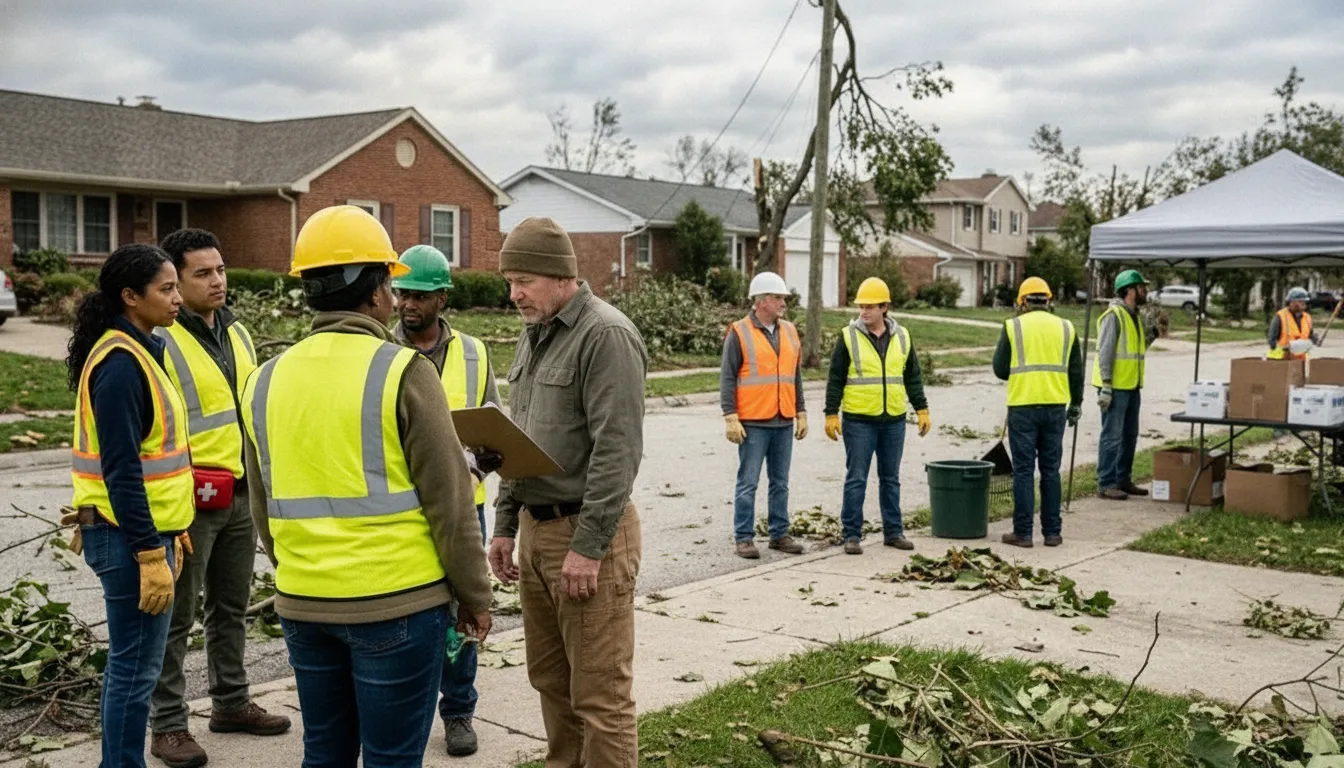
Volunteer management software for nonprofits matters when the same people support outreach, training, events, and emergency operations. A spreadsheet may hold names, but it rarely shows who is available, what role they can fill. Which organization they support, or how field updates should reach the right people.
The evaluation should therefore begin with the work your team must coordinate, not a list of fashionable features. Start by examining the core responsibilities the system needs to handle across routine readiness and emergency response.
What Does Volunteer Management Software for Nonprofits Need to Handle?
Nonprofit volunteer management software should do more than store names and record participation. It should help a small team maintain an accurate picture of who belongs to the organization. What each person can do, how to reach them, and what information is relevant when conditions change. That operating model matters for NGOs, faith-based organizations, CERT teams, and public safety partners that move between routine preparation and active response.
A roster or administrative tool can be useful for contact records, onboarding, scheduling, and hours reporting. Those functions support accountability and grant or program reporting, but they do not by themselves create a shared operating picture. During an activation, coordinators may also need to distribute updates, receive field information, understand location context, assign work, and track status without relying on disconnected conversations.
Routine administration is the foundation
Start with the everyday work. A nonprofit needs dependable contact management, practical onboarding, group communication, role or team organization, and a way to track volunteer hours and related reports. QR-code onboarding and mobile access can reduce friction when people join at an event or prepare in the field. The system should also make it clear which administrators can view or update information, rather than treating every volunteer as having the same access.
These capabilities are part of the existing PubSafe volunteer-management model for nonprofits and CERTs. They support training, outreach, and events, not just emergency use. That continuity is important because a response system is more useful when people already know how to access it and coordinators already maintain current information.
Response coordination adds another layer
When an incident develops, the operating model must extend beyond a roster. PubSafe supports volunteer coordination, incident reporting, and situational awareness through mobile applications and a web portal. Its incident workflow can capture a report, location, category or severity, description, media, routing, and status. Together, those elements give coordinators a structured way to move from an observation to an assigned follow-up, while preserving context for people who join the response later.
That does not replace human judgment or every tool a nonprofit already uses. It gives the team a coordination layer that can connect people, information, and actions. Use the existing PubSafe volunteer-management page as the owner context, then test whether the broader workflow fits the organization’s actual operating procedures.
Build a Nonprofit Volunteer-Management Requirements Checklist
A practical requirements checklist keeps a nonprofit from choosing a roster tool that cannot support real coordination. Review each item with the people who recruit volunteers, lead programs, manage reporting, and coordinate an activation. Ask what must work during routine training and events, then test the same capability when staff are busy and information is changing.
- Contacts: Confirm that the system can maintain useful volunteer profiles, including contact details, organization or team affiliation, relevant skills, and other information your coordinators need. Check whether authorized staff can find a person quickly without maintaining disconnected spreadsheets.
- Onboarding: Look for a simple process that moves a new volunteer from invitation to active participation. QR-code onboarding may help at events or trainings, but verify the full workflow. Including collecting required details, explaining expectations, and confirming that the volunteer can access the right resources.
- Availability: Make sure coordinators can record availability, assignments, and changing commitments. The system should help you see who can support a scheduled activity and who may be reachable during an activation. Without treating an old availability entry as a guarantee.
- Roles: Define the roles your nonprofit uses in programs, events, and emergency operations. Test whether people can be grouped by team, responsibility, skill, or assignment. A good fit should clarify who is coordinating, who is responding, and who needs updates.
- Communications: Evaluate group messaging and targeted updates. Ask whether a coordinator can reach a team, partner group, or assigned volunteers without sending every message to the entire roster. Also confirm how alerts, acknowledgments, and follow-up information are handled.
- Hours and reporting: Check how volunteers record hours and how staff review or export that information. Reporting should support program oversight, grant documentation, recognition, and internal planning. Test a realistic reporting period so you understand the review effort, not just the data-entry screen.
- Mobile access: Verify that volunteers and coordinators can use the important workflows from mobile devices. Field teams may need to receive updates, share information, report an incident, or review an assignment away from a desk. Test the mobile experience with the people who will actually use it.
- Permissions: Map access before implementation. Determine which coordinators, team leads, partners, and volunteers can view contacts, send messages, edit assignments, submit reports, or share location information. Look for controls that protect private information while allowing practical collaboration across organizations.
- Emergency readiness: Run an exercise that begins with an alert and follows the work through reporting, location capture, categorization, routing, status updates, mapping, and escalation. Include routine-to-emergency handoff questions, internet or device constraints, and the process for sustaining coordination as the incident develops.
How Should Nonprofits Test Volunteer Coordination During an Emergency?
A useful emergency test should resemble the decisions a nonprofit would make under pressure, not just confirm that volunteers can log in. Start with a clear scenario, such as a severe storm, neighborhood evacuation, or communications outage. Define the trigger, the operating period, the people responsible for coordination, and the information leaders must have before assigning work. FEMA guidance treats training and exercises as core emergency coordination capabilities. While Ready.gov describes an emergency operations center as a physical or virtual coordination location where current information supports decisions. See the FEMA EOC Quick Reference Guide and Ready.gov incident management guidance.
Run the test in the same volunteer management system used for routine readiness. The goal is to expose handoff problems before a real activation.
- Activate the response. Assign an incident lead and define who can declare the exercise active. Test whether the right people receive the initial alert, understand the situation, and know where to report. Include volunteers with different responsibilities, not only administrators.
- Report the incident. Have participants submit a realistic report with a description, category or severity, location, and relevant media when appropriate. Confirm that the report is understandable without a separate phone call. PubSafe’s incident workflow is designed around reporting, location, context, routing, and status tracking, so test each field rather than treating submission alone as success.
- Confirm location and context. Ask responders to share the location information needed for a decision, while respecting each person’s location-sharing permissions. Test whether coordinators can distinguish an incident site, a volunteer’s current position, and a requested destination. Maps should support orientation and prioritization, not create a false impression of precision.
- Test roles and field updates. Give each participant a defined role, such as incident lead, dispatcher, field volunteer, logistics contact, or communications reviewer. Require short updates at set intervals. Check whether updates identify what changed, what is needed, and who owns the next action. Include a missed update to see whether someone notices.
- Track status and escalate. Move a report through the nonprofit’s agreed statuses, such as new, assigned, in progress, awaiting information, and resolved. Set an escalation rule for a safety concern, duplicate report, unavailable volunteer, or overdue update. The incident lead should be able to see what is unresolved and elevate it to the appropriate partner without losing the original context.
After the exercise, record the time to activate, submit a usable report, assign a role, post a field update, identify the location, and escalate an unresolved issue. Review where staff relied on memory, parallel spreadsheets, or informal messages. Repeat the scenario after correcting one or two process gaps. A response-ready test is not a pass or fail judgment on volunteers; it is a practical check that people, information, maps, and decisions remain connected as conditions change.
What Should You Ask About Security, Access, and Interoperability?
A nonprofit volunteer platform should fit the way people actually coordinate. Ask questions that test routine administration, sensitive information, and emergency operations together. A tool that works for a single coordinator may need different controls when volunteers, partner organizations, public safety teams, and field leaders share information.
- How are roles and permissions managed? Ask whether administrators can separate access by organization, team, responsibility, or incident. Clarify who can view member details, send group messages, edit records, assign work, and change incident status. Look for role-based access that supports accountability without making every user an administrator.
- How is location information protected? Location can help route an incident or coordinate a response, but it may also be sensitive. Ask when location is collected, who can see it, whether members control location sharing, and how long the information is retained. PubSafe supports location-sharing controls, but your team should confirm how those controls map to your operating policy.
- Can one person belong to more than one organization? CERT volunteers and nonprofit partners may serve across jurisdictions or programs. Ask whether a member can participate in multiple organizations without duplicate accounts, confused permissions, or accidental cross-organization disclosure. Confirm how messages, assignments, and reports stay separated when needed.
- What connectivity does the platform assume? Ask what happens when cellular service is weak, internet access is intermittent, or a team works in a facility with limited connectivity. Do not assume that a mobile app is an offline system. Document which functions require a connection, how updates are handled after reconnection, and what manual fallback your team will use.
- How does it interoperate with existing tools? Ask about supported integrations, data export, mapping or geospatial workflows, communications systems, and identity management. FEMA guidance treats interoperability, communications, internet connectivity, virtual or hybrid operations, and sustained operations as evaluation considerations. Use the FEMA EOC Quick Reference Guide to turn those topics into exercise questions rather than assumptions.
- How is data handled and supported? Clarify what data is stored, how it is protected, who can access it for support, and how records are corrected or removed. Ask about incident response, service status communication, training, onboarding, support hours, escalation paths, and documentation. Include a scenario involving a partner organization, a location-sensitive report, and a virtual or hybrid activation.
How Can a Nonprofit Compare Implementation Effort and Total Value?
Total value is more than a software license. A nonprofit should evaluate the full operating change: the effort to configure the system. Train coordinators, onboard volunteers, maintain records, produce reports, and use the platform during an activation. This approach helps a lean team compare tools without relying on unsupported savings claims or headline features.
Start by listing every cost category and responsibility. Include subscription or licensing terms, setup, data preparation, training, integrations, support, device requirements, and the staff time needed for ongoing administration. Then test whether the platform reduces duplication between rosters, messaging tools, spreadsheets, incident notes, and reporting workflows. The goal is not to replace every existing tool. It is to determine whether the coordination layer makes the overall process clearer and more reliable.
| Evaluation area | Questions to ask | What to observe |
|---|---|---|
| Cost categories | What setup, licensing, training, support, integration, and internal labor responsibilities should be planned? | Whether the full ownership picture is documented before approval. |
| Onboarding effort | How are organizations, roles, contacts, availability, and volunteer records added? | Whether coordinators can follow a repeatable process without excessive manual cleanup. |
| Admin effort | How are permissions, groups, messages, assignments, and status updates maintained? | Whether routine changes are manageable for a small staff team. |
| Reporting | Can the team track participation, volunteer hours, incidents, and activity for grant or leadership reporting? | Whether reports use consistent records instead of reconstruction from separate files. |
| Adoption | Can volunteers use the mobile experience, alerts, and assigned workflows with practical training? | Whether the process is understandable during routine work and an exercise. |
| Support | What help is available during configuration, training, troubleshooting, and organizational change? | Whether support expectations and escalation paths are explicit. |
| Emergency readiness | Can the platform support incident reports, location details, routing, status tracking, mapping, and communication? | Whether the workflow remains usable when information changes quickly. |
During a demo or pilot, use a realistic scenario rather than a feature tour. Create a volunteer group, send an operational message, record participation, submit an incident with location and status, and produce a situation report. PubSafe describes support for contact management, group messaging, volunteer-hours tracking, QR-code onboarding, mobile access, mapping, work orders, alerts, incident reporting, and situational awareness through web and mobile applications. Review those workflows against your own requirements, including routine training, outreach, events, and emergency response.
How Do You Run a Realistic Software Evaluation Before Choosing?
A software evaluation should test the work your nonprofit actually needs to coordinate, not just the features shown in a demonstration. Keep the process short, structured, and observable. Include the people who manage volunteers, lead field activity, review reports, and make activation decisions.
Start with a focused pilot
Define one pilot group, one operating area, and a small set of representative tasks. Use the pilot to test onboarding, member records, role assignments, messages, availability, and routine updates. Ask coordinators to complete the work without special help after the initial orientation. Record where they hesitate, duplicate work, or return to disconnected tools.
Then run two exercises. The first should be routine, such as preparing for a training day, outreach event, or scheduled community activity. The second should be an emergency scenario with an incident report, location information, changing status, field updates, and an escalation decision. Include realistic interruptions, limited staff time, and more than one participating organization. FEMA guidance identifies training, exercises, information management, communications, staffing, and sustained operations as important evaluation considerations.
Use a scorecard and decision record
Score each workflow against the same criteria: ease of onboarding, clarity of permissions, speed of communication. Quality of location and incident information, mobile usability, reporting effort, coordination across organizations, and the amount of duplicate entry required. Use a simple scale such as unable, workable with support, and ready for routine use. Add written evidence and the name of the person who tested each item.
Finish with a decision record. State the use cases tested, the participants, the unresolved gaps, the training required, and the conditions for adoption. Separate essential requirements from helpful enhancements. If a gap depends on a policy, integration, connectivity assumption, or future configuration, assign an owner and a follow-up date rather than treating it as solved.
For PubSafe, evaluate the platform as a coordination layer between organization leaders, volunteers, and field activity. Review how PubSafe works, then test whether its web portal and mobile apps help connect volunteer coordination, incident reporting, messaging, mapping, and situational awareness in your exercises. Consider the broader disaster response platform workflow, while confirming that your existing human procedures remain clear. For nonprofit and CERT-specific examples, review volunteer management software for nonprofits and CERTs.
Frequently Asked Questions About Volunteer Management Software for Nonprofits
What is volunteer management software for nonprofits?
Volunteer management software for nonprofits centralizes the information and workflows needed to organize people before, during, and after an activity. Depending on the platform, this can include volunteer records, onboarding, roles, availability, communication, assignments, hours tracking, and reporting. The right system should reduce duplicate administrative work while giving coordinators a dependable view of who is involved and what needs attention. For organizations involved in preparedness or response, evaluate whether the platform also supports incident updates, field coordination, and situational awareness.
Which features should a nonprofit evaluate first?
Start with the workflows your team must perform every week. Look for practical contact management, simple onboarding, role-aware communication, mobile access, assignment or work-order tracking, volunteer-hours reporting, and permissions that match your organization. If you coordinate CERT members, NGO partners, or other response groups, add mapping, alerts, incident reporting, and status tracking to the evaluation. Ask whether volunteers can access the information they need without exposing private details that are outside their role.
Can volunteer management software support disaster response?
It can support disaster response when it helps an organization activate people quickly, communicate assignments, capture field information, and maintain a shared operating picture. A response-ready workflow may include incident reporting, location capture, categorization, media, routing, and status updates. Software does not replace operational judgment, training, or established response procedures. Test the platform with a realistic exercise to see whether coordinators can move from an alert to verified assignments and documented updates without creating unnecessary confusion.
How should a nonprofit compare volunteer platforms?
Use a short pilot that covers both a routine activity and an emergency scenario. Include the people who will administer the system, coordinate volunteers, report from the field, and review results. Verify onboarding effort, permissions, mobile usability, communication, hours reporting, and the time required to prepare a useful report. Record which workflows were completed, where users needed help, and what information was difficult to find. A written scorecard makes it easier to compare fit, adoption requirements, support needs, and administrative effort without relying on a feature list alone.
Choose a Volunteer Coordination Platform With Confidence
The best platform is one your team can use consistently during routine operations and a fast-moving activation. Map your workflows before deciding. Run a small test with representative users. Confirm permissions, communication, reporting, and field coordination. PubSafe brings these functions together through web and mobile applications for NGOs, faith-based groups, CERT teams, and public safety partners. Review your needs with the PubSafe team and explore the free PubSafe app. Contact PubSafe to discuss fit and next steps.


