
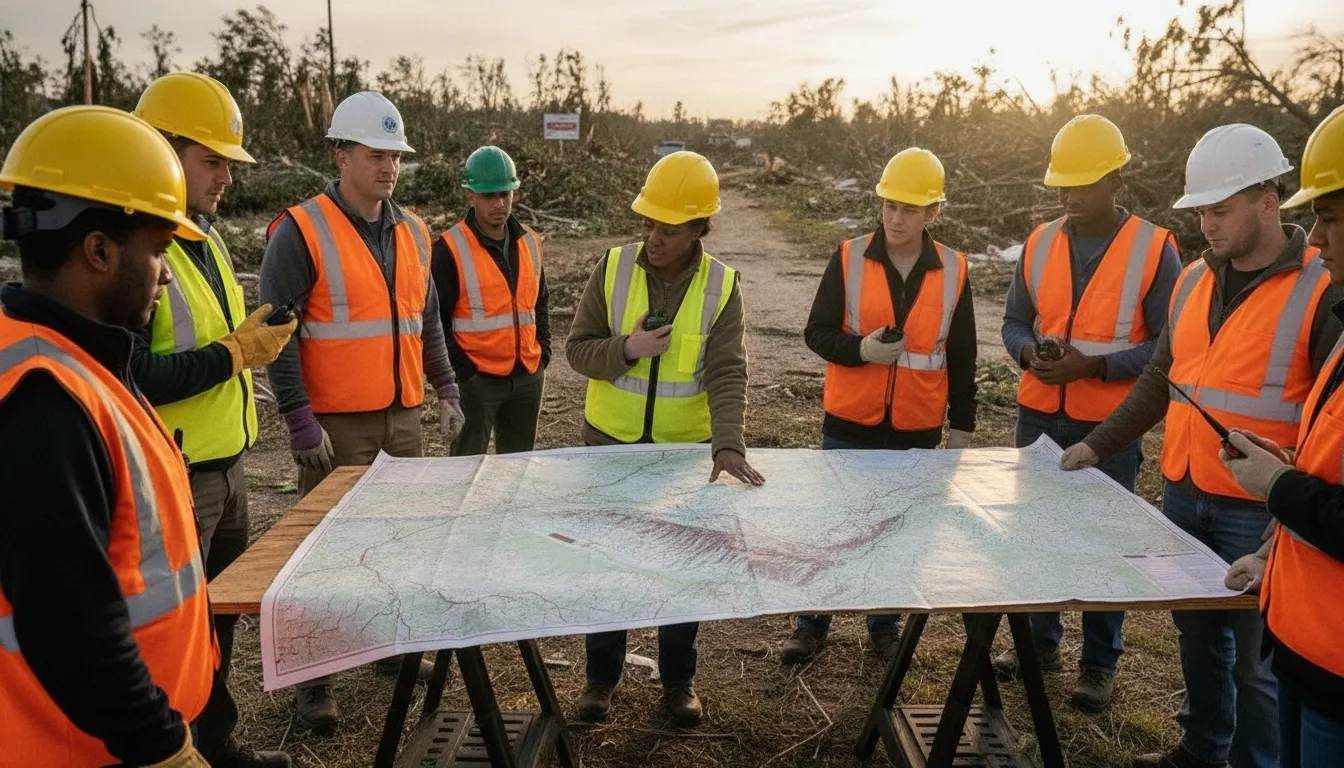
During a search, coordination can break down quickly when volunteers are arriving from different locations. Search parties are moving through changing terrain, and updates are scattered across calls and group chats. A clear operating picture helps coordinators assign people, share instructions, and keep every team aligned as conditions change.
Effective coordination starts before deployment. Teams need dependable information about who is available, where each group is working, what tasks are underway, and how changes will reach the field. The following capabilities show how a digital coordination system can support that work from initial callout through demobilization.
What Does Search and Rescue Volunteer Coordination Software Do?
Search and rescue volunteer coordination software gives SAR leaders one place to organize volunteers, monitor search-party status, share incident updates, and support field communication. The right system turns a fast-moving operation into a structured workflow, helping teams use current information instead of relying on disconnected notes or memory.
Search and rescue volunteer coordination software gives coordinators one operational view of people, teams, locations, and field updates. Instead of relying on separate spreadsheets, phone trees, and group chats, leaders can organize search parties. Assign responsibilities, and keep current information available to the people who need it. The goal is not to replace field judgment. It is to reduce the administrative friction that slows a response.
The most useful systems connect volunteer management with live incident coordination. That means a coordinator can see who is available, what qualifications a volunteer has. Which team they belong to, and where a search party is operating before assigning the next task. A unified platform can also manage personnel, certifications, training, equipment, and incidents in one place, a model used by established SAR software providers such as D4H’s search and rescue platform.
Organizing search parties and availability
During a deployment, volunteers need clear assignments. Software can group people into search parties, record team leads, track availability, and show which resources are committed or still ready to deploy. Coordinators can use that information to avoid double-booking a volunteer, match qualified people to the right assignment, and maintain a more reliable personnel picture as the operation changes.
Sharing status updates and team messages
Structured status updates turn scattered field reports into information the command team can act on. Teams can report when they are en route, searching, requesting support, returning, or clear. Messaging organized by incident, team, or assignment keeps operational conversations easier to follow than a single general-purpose chat. Clear status categories help leaders identify gaps quickly and reduce unnecessary check-in calls.
Using maps and incident reports
Mapping and GIS tools help coordinators connect each search party to a defined area, route, landmark, or point of interest. Combined with real-time incident reporting, they create a working record of what has been searched, what was observed, and where follow-up is needed. This supports better handoffs between teams and gives incoming personnel useful context without requiring a verbal recap of every event.
Core capabilities commonly associated with this type of software include real-time incident reporting, automated callouts, volunteer skill tracking, mapping and GIS integration, and field-team deployment tools. In practice, the value comes from connecting these functions rather than treating them as isolated features. A coordinator can call for available volunteers, confirm qualifications, assign a mapped search area, receive updates, and preserve the incident record within one workflow.
What Features Matter Most for Coordinating SAR Volunteers?
The right system should help a coordinator answer practical questions quickly: Who is available? Which qualifications are current? Where is each team operating? What support does a field group need? Search and rescue volunteer coordination software is most useful when it turns those answers into one shared operational picture.
- Real-time status updates: Volunteers should be able to report availability, check in, change status, and share progress without relying on scattered texts or radio relays. Real-time personnel tracking is especially valuable when teams cover large geographic regions, where a coordinator needs a current view of people and equipment. Tracking certifications and personnel status in real time can also reduce uncertainty before a team is assigned.
- Skills and certification tracking: A volunteer roster is not enough. Coordinators need to know who has the right training for navigation, medical support, water rescue, communications, or other mission requirements. The system should make expired certifications visible and help match qualified people to appropriate assignments.
- Mapping and GIS integration: Maps should show search areas, team locations, checkpoints, hazards, and relevant landmarks in a format that field leaders can use. Location data becomes actionable when it is connected to assignments and status updates, not stored in a separate map that nobody checks.
- Field team deployment: Look for tools that support the full deployment cycle, from creating a search party to assigning a leader. Defining an area, recording check-ins, and updating the assignment as conditions change. This keeps coordinators from rebuilding the same roster manually for every operational period.
- Mobile access: Volunteers work away from desks, often with limited time and changing conditions. Mobile access lets them receive assignments, send updates, and review operational information from the field. Mobile availability across iOS and Android is an established expectation for volunteer-response tools, including Resgrid’s SAR solution: mobile access for field operations.
- Automated callouts: When an incident begins, automated notifications can reach the right volunteers based on availability, skills, location, or team membership. That shortens the time between identifying a need and assembling a capable response group, while reducing the coordinator’s dependence on manual phone trees.
How to Coordinate Volunteers During a Live Search Operation
A live search becomes harder to manage as volunteers arrive, conditions change, and teams spread across unfamiliar terrain. Use a repeatable operating sequence so every person knows the assignment, reporting path, and point at which they should stop. A disaster response platform can keep those decisions visible to coordinators and field teams instead of scattering them across calls, texts, and paper notes.
- Plan the operation and assign roles before deployment. Define the search objective, operating area, hazards, communications plan, check-in schedule, and escalation process. Assign a safety lead, communications lead, dispatch coordinator, and team leaders. Confirm each volunteer’s relevant skills, training, availability, and equipment. ESF-9 provides a formal framework for coordinating volunteer and professional search-and-rescue resources, so align the local plan with the authority directing the incident. Review the ESF-9 search-and-rescue annex when building or updating your procedure.
- Issue the callout and receive availability. Send one clear request that states the location, mission, meeting point, expected duration, required skills, equipment, and hazards. Ask volunteers to confirm availability through a defined channel, then record who accepted, who is en route, and who remains unavailable. Do not assume that willing responders are ready for every assignment. Research on disaster relief volunteerism emphasizes the importance of planning for spontaneous, unaffiliated volunteers and managing their participation systematically.
- Dispatch search parties with clear boundaries. Divide the area into named or mapped sectors. Give each party a leader, starting point, search pattern, boundaries, turn-back conditions, and reporting interval. Ensure adjacent teams understand where their responsibilities meet so gaps and duplicate coverage are less likely. A mobile search-party workflow can help coordinators issue assignments and keep field instructions attached to the operation rather than buried in a group chat. See PubSafe’s search-party organization app for an example of this approach.
- Track parties and update status in real time. Maintain a live roster showing each party’s current status, location or sector, last check-in, communications condition, and outstanding needs. Set a standard interval for updates, but allow immediate escalation for injuries, hazards, lost contact, or a potential find. Predictive dispatch research is exploring how algorithms can improve mobilization and coordination of volunteer first responders, but technology should support, not replace, the incident commander’s judgment.
- Collect field reports and adjust the plan. Make reports structured and brief: location, time, area searched, conditions, observations, photos if appropriate, and next recommendation. Compare completed coverage with the operational map, then redirect available parties when evidence changes the search priority. Record changes visibly so every team is working from the same operational picture.
- Demobilize and debrief. Close sectors deliberately. Confirm every party has returned, account for equipment, document unresolved leads, and notify volunteers when the operation has ended. Hold a short debrief while details are fresh. Capture what worked, where communications failed, and which training, mapping, or dispatch changes should be made before the next callout.
Why a Unified Disaster Response Platform Beats Spreadsheets and Group Chats
Spreadsheets and group chats can help a small team get started, but they separate the information coordinators need during a live search. One file may contain volunteer availability, another may list certifications, and the latest location update may be buried in a fast-moving message thread. A unified platform brings those pieces together so leaders can make decisions from the same operational picture.
This matters because search and rescue operations involve more than sending instructions. Coordinators need to know who is available, which skills and equipment are ready, where search parties are working, and what has changed since the last update. A volunteer management software workflow can organize personnel, training, certifications, and equipment alongside active incident information. That structure also supports the formal coordination expectations found in emergency management frameworks such as Massachusetts ESF-9, which includes coordination of volunteer and professional search-and-rescue resources: Massachusetts ESF-9.
| Coordination need | Spreadsheets and group chats | Unified platform |
|---|---|---|
| Real-time status | Updates can be delayed, duplicated, or lost in chat. | Teams can share current personnel and incident status in one operational view. |
| Search-party tracking | Leaders rely on manual check-ins and scattered location messages. | Coordinators can organize parties, assignments, and progress around the active search. |
| Volunteer management | Availability, certifications, and skills may live in separate files. | Volunteer profiles and readiness information stay connected to deployment decisions. |
| Mapping | Maps and pins may be shared as isolated attachments or links. | Location and team information can be coordinated through a shared mapping workflow. |
| Reporting | Incident summaries require manual collection and reconciliation. | Updates can be captured as the operation develops, creating a clearer record. |
| Single source of truth | There may be multiple versions of the same information. | Everyone works from the same current coordination layer. |
The goal is not to replace every communication tool. Radios, phone calls, mesh networks, and group messaging may remain essential when conditions are difficult. PubSafe can serve as the resilient coordination layer that connects those channels to organized personnel, assignments, maps, and reports. Its search and rescue dispatch software angle helps keep urgent deployment and status information tied to the broader operation, rather than isolated in a single conversation.
Choosing the Right Search and Rescue Volunteer Coordination Software
Choosing software should start with the way your team actually responds, not with a list of impressive features. The right search and rescue volunteer coordination software should help a coordinator see who is available. Assign people to the right task, share updates, and maintain a reliable operational picture while teams are moving. It should remain useful in both a planned training exercise and a fast-moving wilderness or urban search.
Start by testing real-time capabilities. Can team leaders report a change in status without calling an administrator? Can coordinators see which search parties are active, where they were last checked in, and which assignments still need coverage? Real-time incident reporting, automated callouts, skill tracking, mapping or GIS integration, and field-team deployment tools are widely recognized as core capabilities for this type of software. Mobile availability for SAR teams is also a practical baseline, because volunteers need to use the system from the field rather than return to a desktop for every update.
Evaluate the volunteer experience
Ask a small group of volunteers to complete the most common tasks on their own phones. They should be able to receive an assignment, acknowledge it, share a status update, and find essential information without extensive training. A technically powerful platform that volunteers avoid during a stressful operation creates a second coordination problem.
Then check whether the system supports your readiness process. Look for searchable skills and certifications, expiration tracking, training records, equipment information, and role-based access. These details help a coordinator assign qualified people instead of relying on memory or disconnected spreadsheets. They also make it easier to identify gaps before an incident begins.
Test the system against different response conditions
Run the same trial in two scenarios: a dispersed wilderness search and a compact urban response. Compare how easily you can create teams, update assignments, use maps, and scale communications as more volunteers join. Include a drill with changing conditions so you can see whether updates remain visible and organized.
Finally, test before committing. Ask whether the free app supports your core workflow and whether volunteers can use it comfortably on their existing devices. A short, realistic exercise will reveal more than a product demonstration. Choose the platform that reduces coordination friction for both the person directing the operation and the volunteer carrying it out.
Contact PubSafe and try the free PubSafe app for real-time SAR volunteer coordination.
Frequently Asked Questions
What volunteer management database software do SAR teams use?
SAR teams commonly use specialized platforms that combine volunteer records, certifications, training, equipment, incidents, and availability. The right choice depends on whether your team needs basic roster management or live operational coordination. Look for a system that keeps readiness information current and gives coordinators one reliable view during an incident.
What features are essential in search and rescue volunteer coordination software?
Prioritize real-time incident reporting, automated callouts, skill and certification tracking, mapping or GIS, field-team deployment, and mobile access. These features help coordinators identify qualified volunteers, assign search parties, share updates, and maintain an operational picture without relying on disconnected spreadsheets and group chats.
How does volunteer coordination software improve SAR team operations?
It shortens the path from an alert to an organized response by centralizing communication, availability, qualifications, assignments, and status updates. It also creates a clearer record of what happened during the operation. Formal emergency plans recognize the need to coordinate volunteer and professional search-and-rescue resources, including through Emergency Support Function 9 (Massachusetts ESF-9 guidance).
How do you choose the right search and rescue coordination software?
Start with your operating environment, team size, volunteer skill requirements, coverage area, and mobile needs. Then test the workflows that matter most: sending a callout, confirming availability, launching a search party, tracking status, and closing an incident. Choose the platform volunteers can use quickly in the field and coordinators can manage confidently under pressure.
Ready to coordinate your SAR team with confidence?
A clear system can help search coordinators keep volunteers informed, organize field activity, and maintain a shared view during an operation. Contact PubSafe and try the free PubSafe app to see how it can support your search and rescue volunteer coordination workflow. Start with the needs of your team, then build a practical process for communication, status updates, and search-party coordination.


