
Budget gaps often force rural leaders to manage major disasters with little more than paper maps and luck. When a crisis hits, slow tools can lead to tragic loss. Small towns need a way to protect their people without breaking the bank.
Thank you for reading this post, don't forget to install the free PubSafe mobile app and subscribe!
Affordable EOC software small communities rely on provides a central hub for incident data without the high cost of big systems. These digital tools allow local teams to track assets, map risks, and share updates in real time during any crisis. According to FEMA, small towns need easy platforms that offer central response without the need for complex coding or extra IT staff. Modern systems help rural areas follow federal rules and keep a clear working picture even with small town funds. They offer features like digital forms, live mapping, and quick alerts that once only large cities could buy. This tech helps every community respond to threats with expert speed and better teamwork.
Many local leaders struggle to find tools that fit their budget while meeting safety standards. Choosing the right platform is a key step that starts with understanding rural needs and finding the right balance between cost and capability.
Affordable Eoc Software Small Communities: Why Do Small Communities Struggle To Afford EOC Software?
Small towns and rural areas face the same safety needs as large cities but with much smaller budgets. Enterprise EOC platforms like WebEOC cost between $10,000 and $150,000 annually, placing them out of reach for most small municipalities. This cost gap forces many towns to rely on paper logs, whiteboards, or basic chat apps during disasters, creating dangerous information silos when every second counts.
Small towns and rural areas face big risks from floods, fires, and storms. These places have the same safety needs as large cities. But their budgets are much smaller. Most big tools for an Emergency Operations Center (EOC) cost between $10,000 and $150,000 each year. For a town with few people, this price is too high. No town should have to choose between a balanced budget and the safety of its people.
The High Price of Big Software
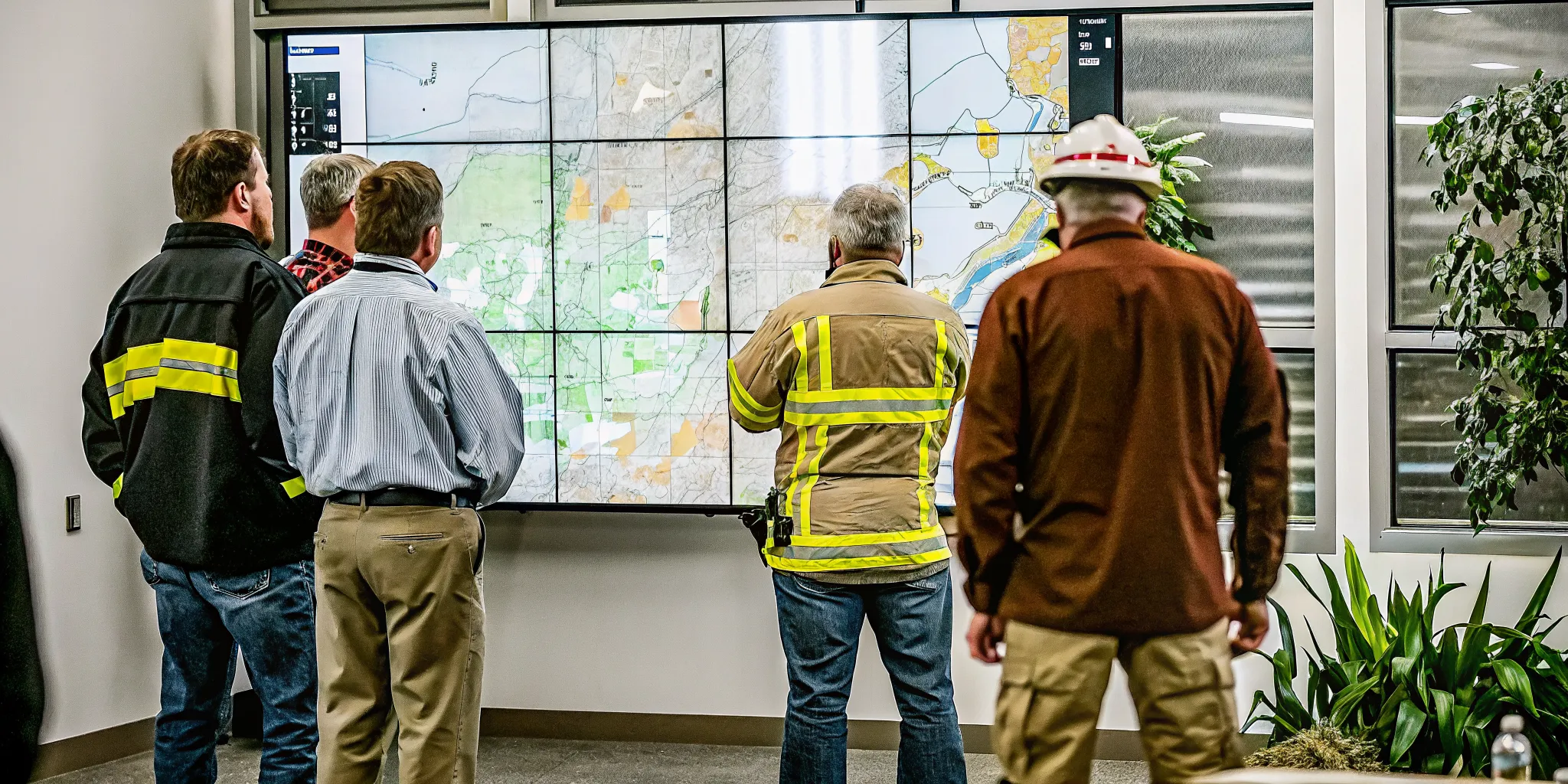
Many large software tools are built for big cities with large tech teams. These tools are hard to set up and take a long time to learn. A small town might only have one or two people to handle all their tech needs. They cannot spend weeks in training for a system they rarely use. When a tool is too hard to use, it often sits idle. This waste of money hurts the town and leaves them less ready for the next crisis.
Small towns need low-cost emergency management software for rural areas that is easy to start. FEMA says these towns do best with tools that do not need a lot of tech help. Safety should come from how well a tool works, not from how much it costs.
Risks of a Tight Budget
When a town cannot buy modern tools, they often use old ways to keep records. They might rely on paper logs, whiteboards, or simple chat apps. These old ways keep data in silos where it does not move fast. During a disaster, every second counts. If a fire chief and a police chief do not see the same map, mistakes can happen. This lack of shared info can lead to slow help and more danger.
The National Incident Management System (NIMS) says that EOCs are a key part of how groups work together. Without the right software, it is hard to follow these federal rules. This can slow down aid from the state or the nation. A lack of funds should not mean a lack of teamwork during a flood or storm.
Finding Low Cost and High Quality
There is a better way for small towns to stay safe. They can use community emergency management solutions that fit their size. These tools focus on the most important tasks like mapping and sharing facts in real time. They allow small teams to act like large ones without the huge price tag. These tools help teams stay in sync and respond fast.
By using simple and low-cost tools, local leaders can protect their people. They can keep their plans in line with national goals. When software is easy to use and fair in price, safety becomes a choice every town can make. This helps build a strong town that is ready for any event.
What Essential EOC Capabilities Does Every Small Community Need?
Every small community needs an EOC platform that provides incident tracking with NIMS-compliant forms, real-time mapping for shared situational awareness. Field reporting tools for first responders, resource management for personnel and equipment, and multi-agency coordination that connects police, fire, EMS, and volunteer groups. These five capabilities form the minimum viable set for any functional EOC regardless of budget size.
Small towns and rural groups often face tight budgets and few IT staff. But they still need to handle big events like fires or floods. These groups must find budget-friendly EOC platforms for rural towns that handles the heavy lifting. The best tools help teams work together without the high cost of older systems. Even small teams need a central place to see and share data during a crisis. This helps them stay ready during “blue sky” days and “gray sky” events alike.
- Incident tracking with NIMS-compliant forms for standardized reporting across all response agencies
- Real-time mapping that gives every leader a shared view of where resources are deployed
- Field reporting tools that let first responders send updates and photos from the scene
- Resource management to track personnel, vehicles, and equipment across multiple incidents
- Multi-agency coordination that connects police, fire, EMS, and volunteer groups in one system
Incident Tracking and NIMS Compliance
Modern tools must help a local team follow national rules. Emergency Operations Centers are key parts of the National Incident Management System (NIMS). This system helps different groups talk to each other when they respond to a disaster. Using the right software makes it simple to use standard Incident Command System (ICS) forms. This keeps small towns ready to work with state and federal teams if the event grows too large for local help.
Low-cost platforms should not skip these tools. When a town uses clear, simple forms, they can file reports for grants or help. This is vital for groups that need to track every dollar and hour. Good software makes it easy to log events as they happen. It saves time because no one has to guess or search for notes after the event is over. Clear logs are also key for getting funds from the state or FEMA after a storm.
Mapping and Real-Time Awareness
Knowing where help is needed is the most vital part of a response. A digital map gives a common operating picture for all leaders. This lets everyone see the same view of the event in real time. It is much better than using paper maps or phone calls that can lead to errors. Small towns need this view to send help where it is needed most. It also keeps teams from sending too much gear to one spot while other spots wait.
Reliable systems must also let teams share data from the field. Field staff can send photos or status updates from the scene. These updates should show up on the EOC map right away. This kind of software for small municipalities keeps the office and the field in sync. It helps leaders make fast choices based on what is truly happening on the ground. When facts change fast, a live map keeps the whole team on the same page.
Field Reporting and Resource Management
Tracking gear and people is a huge task for any small team. Every truck, tool, and person must be in the right place at the right time. Affordable EOC tools should manage these tasks through simple field reports. These reports help leaders see who is working and what tools are still in the shop. This keeps the response safe and keeps the team from wasting time. It also helps with the long-term care of tools and gear.
Using a disaster response coordination tool also helps with volunteer groups like CERT. These tools let leaders see where volunteers are and what they are doing. This is helpful for small groups that rely on local help rather than a large paid staff. It makes sure that everyone stays safe while they work to help their town. A clear view of resources helps small towns do more with the tools they already have.
How Much Does Affordable EOC Software Cost for Small Municipalities?
Enterprise EOC platforms like WebEOC and Veoci start at $10,000 per year and can exceed $150,000, placing them far beyond most small-town budgets. PubSafe changes this math with a user-pays model: individuals pay $60 per year for the mobile app, and organizations pay $99 per year for the web portal. This shifts costs from strained municipal budgets to actual users, making EOC-grade tools accessible to any community.
Small towns and rural areas face big blocks when they buy software. Many top tools cost far more than a small town fund can bear. Big brands like WebEOC or Veoci often start at $10,000 per year. For some small towns, the price can go even higher. This puts modern tools out of reach for teams that need them most. Often, these towns must rely on paper maps or cell phones to manage a crisis. This can lead to slow response times and missed facts when lives are on the line.
The High Cost of Big Platforms
Large systems are built for big cities with big teams. These tools often need complex work and full-time IT staff. Many platforms need custom code just to set up a simple map. FEMA notes that small towns need tools that are low cost and easy to use. Without them, local teams may struggle to share data during a crisis. If a tool is too hard to learn, volunteers may not use it at all.
When a town has little cash, it must choose well. High yearly fees for software can eat up a whole budget. This leaves little room for gear or training. Finding municipal emergency response software that fits a tight budget is a key step for local safety. Most towns cannot pay for a $50,000 a year tool they might only use a few times. They need a system that works on a small scale but can grow when a major storm hits.
How PubSafe Changes the Math
PubSafe uses a user-pays model. This means the town does not have to pay for a big license upfront. Instead, users pay a small fee of $60 per year. This fee covers the cost of the app and data sync. For a group, the web portal costs just $99 per year. This low cost helps small teams get the same tools as big cities. It shifts the cost from the town budget to the people who use the tool. This is a big win for towns that have no room for new costs.
This model removes the budget wall for many groups. Emergency Operations Centers are vital for many groups to work together during disasters. They help police, fire, and medical teams work as one unit. By lowering the price, more towns can set up a common view of an event. This leads to faster help and better safety for all. Groups can track field assets and send alerts without a big price tag.
Software Price Comparison
To find the best fit, you should look at the total cost. Most big brands charge a high yearly fee that must be paid every year. PubSafe offers a way to get started with very little risk. You can sign up and start using the tool in minutes. There is no need for long setup times or IT help.
| Software Name | Starting Price | Payment Model |
|---|---|---|
| WebEOC | $10,000 – $150,000 | Yearly Fee |
| Veoci | $10,000 – $50,000 | Yearly Fee |
| PubSafe | $99 | User-Pays / Portal Fee |
Check our affordable emergency management software pricing to see how your team can save. By picking the right tool, you can protect your town without a high cost. Small towns deserve the best tools to keep their people safe.
PubSafe vs. Enterprise EOC Platforms: A Practical Comparison
PubSafe differs from enterprise EOC platforms in five key ways: it targets small towns and CERT teams rather than state agencies. Uses a low-cost flat fee instead of expensive tiered licensing. Deploys in hours rather than weeks or months, includes built-in volunteer management tools, and uses a simple mobile-first interface instead of a complex dashboard-heavy design. These differences make PubSafe the practical choice for communities that cannot justify enterprise budgets.
Most small towns face a hard choice when picking an Emergency Operations Center (EOC) tool. They often look at big platforms built for states or large cities. These tools work well but come with high costs and steep learning curves. For many, finding cost-effective EOC solutions for small towns is a matter of safety and budget balance. You need a system that fits your team without draining your funds or needing a full-time IT staff to run it.
The complexity of large software
Big platforms like WebEOC or Veoci are the industry standards for major disaster response. They offer deep tracking and meet federal rules for the National Incident Management System (NIMS). However, these systems often need custom setup that takes months to finish. For a small town, the cost of the software is just the start. You also have to pay for training and support to keep it running through every drill and event.
Small groups need a common operating picture that is easy to use from day one. When a flood or fire hits, you do not want your team to struggle with a complex login or a slow map. You want tools that work on phones and let local leaders see where people are. High-end tools sometimes miss the mark for local needs because they focus more on data storage than on fast field action.
| Feature | PubSafe | Large Platforms |
|---|---|---|
| Target Audience | Small towns and CERT teams | State and federal agencies |
| Pricing Model | Low cost, flat fee options | High cost, tiered licensing |
| Deployment | Same-day setup | Weeks or months of setup |
| Volunteer Help | Built-in tools | Often needs extra modules |
| User Interface | Simple mobile-first look | Complex, dashboard heavy |
| Mapping | Real-time field tracking | Advanced GIS data |
Bridging the gap for local teams
PubSafe fills the space between simple chat apps and heavy EOC systems. It provides the same-day setup that local teams need to stay ready. By mixing EOC features with tools for volunteers, it solves a common problem. You can track your city staff and your local help in the same view. This keeps your response organized and your data in one place.
The goal is to give local teams the power of big agencies at a price they can pay. Many large tools are too big for a town of 5,000 people. They have more buttons and menus than a local chief will ever use. PubSafe keeps it plain so you can focus on the crisis, not the code. This makes it the right fit for groups that need to work fast and spend less.
Choosing the right tool means looking at your actual needs during a drill. If your team cannot learn the app in ten minutes, it may fail you during a real storm. Focus on ease of use and the ability to share data with other groups. When you pick a tool that bridges the gap, you build a stronger network across your region. Using resilient software for local teams helps your group stay ready.
How To Set Up a Functional EOC on a Small Budget
Setting up a functional EOC on a small budget requires four steps: assess your local risks and NIMS requirements. Choose a low-cost cloud-based platform that includes incident tracking and mapping. Train your team on the system using simple workflows, and run a drill to test your setup before a real emergency. This approach avoids costly infrastructure while ensuring your team meets federal standards for multi-agency coordination.
Small towns and rural groups often face tight budgets when setting up an Emergency Operations Center (EOC). You do not need a costly site or complex tools to protect your people. By focusing on smart planning and low-cost tech, you can build a center that works well. The goal is to join your team and share data in real time without high costs.
Assess local needs and federal rules
Before you buy any tools, you must find out what your town needs most. Look at your local risks like floods, fires, or storms. You also need to follow the National Incident Management System (NIMS). These rules help local and federal groups work together during a crisis. According to FEMA, EOCs are a key part of NIMS for multi-agency work.
It is also vital for your local leaders to learn these concepts. When senior officials know how the EOC works, they can lead the team well. You should use federal guides like CPG 101 to build your plans. This ensures your town stays in line with national programs. This planning stage costs very little but sets the stage for success.
Pick the right EOC tools
The next step is to find low-cost emergency operations center platforms. In the past, these systems cost over $10,000, which is too much for many small towns. Now, you can find cloud-based tools that are much cheaper. Small groups benefit from tools that are easy to use and do not need a big IT staff to set up or manage.
Your software should help you track incidents, map data, and send alerts. Good software for small municipalities will include standard forms. Using these forms helps you meet federal rules for reporting. A simple web portal can often do everything you need for a fraction of the price of a big system.
Train your team and test the plan
A working EOC is only as good as the people who run it. Once your tools are ready, you must train your staff and volunteers. Make sure everyone knows how to log incidents and share updates. Since many small groups rely on volunteers, the system must be simple enough for someone to use with very little training. This keeps your response fast and smooth.
Finally, you must test your setup with a drill. Drills show you what works and what needs a change. You can run a small drill to test how your team uses the software and shares data. This builds trust in the system before a real emergency happens. Testing also helps you find any gaps in your mapping or communication flows.
- Assess your needs. List your local risks and review NIMS rules to ensure your plan meets federal standards for aid.
- Choose a low-cost platform. Look for a cloud-based system that fits your budget and does not require complex coding or deep IT knowledge.
- Set up your workflows. Use your software to build a common operating picture. This should include real-time maps and incident tracking to help everyone see the same data.
- Train your staff. Teach all paid staff and volunteers how to use the new system to report incidents from the field.
- Run a drill. Test your center with a fake emergency to find gaps. Use what you learn to make your EOC even better for the next real event.
Frequently Asked Questions
How much does EOC software cost for small communities?
Enterprise tools often cost $10,000 or more per year, which is too high for many rural towns. PubSafe offers a web portal for about $99 per year and individual mobile subscriptions for $60 per year. This low cost helps small groups manage disasters without breaking their budget.
What is the best incident management software for small municipalities?
The best software for small towns is easy to use and affordable. It should help teams work together without needing a big IT staff. FEMA states that small areas need low-cost tools that help them stay organized during a crisis. These tools should provide a clear view of the scene for everyone involved.
Does affordable emergency management software support ICS compliance?
Yes. Many low-cost tools now include standard Incident Command System forms. These forms help small towns meet federal rules for reporting and working together. Using common forms makes it easier to work with state and federal teams during a large event.
What features should small communities look for in emergency management software?
Small communities should look for tools that offer real-time maps and simple status updates. A good system will help you track people and equipment without complex setup. You should also find a tool that works on phones so field teams can send data fast. Reliable systems must adapt to fast changes during a disaster.


