A spreadsheet can look perfectly adequate at 9:00 a.m. on a calm Tuesday. Then a storm produces road closures, welfare-check requests, spontaneous volunteers, shelter questions, and dozens of citizen reports before lunch. The choice of an emergency operations portal versus spreadsheets becomes very real when your team must turn scattered information into accountable action.
Spreadsheets still have a role in preparedness work. They are familiar, flexible, and useful for a small roster or a one-time planning exercise. But emergency coordination is not simply recordkeeping. It is a live operational process involving intake, validation, assignment, communication, documentation, and changing field conditions. That process needs a shared system of record, not a series of files passed between people.
Where spreadsheets help – and where they break down
For a limited task, a spreadsheet is often the fastest place to start. A CERT leader may use one to review a training roster. An NGO may track donated supplies for a single event. A small department may maintain a simple annual contact list in a protected file.
The problem begins when the spreadsheet becomes the operational center during an incident. Multiple people need access at once. Information arrives from phone calls, email, text messages, radio traffic, field teams, and residents. The same request may be entered twice, copied into another tab, or assigned without the assignee receiving a clear notification. Even when everyone is acting in good faith, the operational picture can become outdated quickly.
A spreadsheet also makes status difficult to trust. Is a request new, verified, assigned, in progress, completed, or unable to be completed? Who changed the status? When was the resident last contacted? Which team has already visited the location? These questions matter when leaders are prioritizing life safety, allocating limited resources, and preparing reports for partners or command staff.
Spreadsheets do not fail because staff lack skill. They fail because an evolving incident creates dependencies that rows and columns were not designed to manage.
Emergency operations portal versus spreadsheets: the operational difference
An emergency operations portal is built around the work itself. It brings operational records, assignments, people, locations, communications, and status changes into one controlled environment. Rather than asking staff to reconstruct what happened from several files and message threads, it creates a current, shared picture of the mission.
That distinction affects every stage of response.
Intake becomes actionable work
In a spreadsheet-driven response, a dispatcher or coordinator often receives a report, writes it down, searches for an available team, then manually updates several places. If a citizen submits a concern through a form or calls a hotline, the details may need to be retyped before anyone can act.
A portal can receive and organize help requests, hazard reports, and incident information as operational records. Teams can capture location, contact details, urgency, supporting notes, and attachments in a consistent format. The record can then move through defined workflows instead of disappearing into an inbox or an unfiltered worksheet.
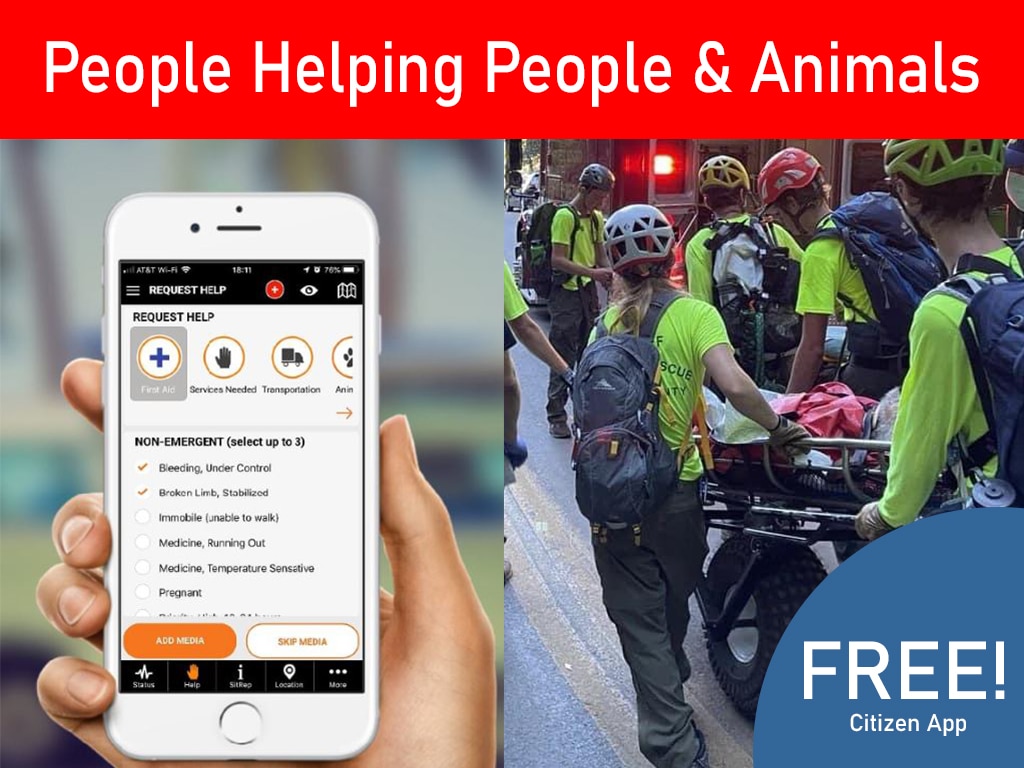
For communities, this is also a trust issue. Residents who report a blocked road, a vulnerable neighbor, an animal emergency, or flood conditions want to know their information reaches someone who can assess it. A free citizen reporting app can extend the eyes and ears of the operation while keeping reports connected to the response process.
Assignments have ownership and history
A line in a spreadsheet may identify a volunteer or team, but it does not reliably manage the assignment. Coordinators still need to confirm availability, qualifications, contact information, task instructions, and completion status. If conditions change, they must find and update every affected record.
An operations portal supports dispatch activity and work orders with clear ownership. Coordinators can assign the right people, document the mission, update task status, and maintain a time-stamped history. Field supervisors can see what has been assigned and what remains open without waiting for a new version of a workbook.
This matters especially when volunteers are involved. Sending willing people into the field without verifying training, credentials, or mission fit creates avoidable risk. Purpose-built systems help organizations maintain member profiles, certifications, training records, and availability alongside operational assignments.
Mapping supports better decisions
A spreadsheet can store an address. It cannot naturally show command staff how open requests relate to evacuation zones, road closures, shelters, damaged infrastructure, or deployed teams.
Live operational mapping changes the conversation. Instead of asking someone to read a list of locations over the phone, leaders can see concentrations of reports and tasks in context. That can reveal where a field team should go next, where duplicate reports may describe the same condition, or where an emerging problem needs escalation.
Mapping is not a replacement for field judgment. It is a way to give that judgment better context. During fast-moving incidents, location intelligence can reduce unnecessary travel, support safer routing, and help command staff direct scarce resources where they can have the greatest effect.
Security and accountability are not administrative extras
Emergency operations often involve sensitive information: home addresses, medical or access needs, volunteer contact details, incident reports, and internal operational notes. A spreadsheet sent by email or stored on an unmanaged device can be difficult to secure, revoke, or audit.
Cloud-based operational systems provide a more controlled approach to access. Organizations can establish roles, centralize records, and reduce the number of copies circulating across personal inboxes and devices. That does not eliminate the need for sound policies, training, and incident command discipline. It does give those practices a stronger operational foundation.
Accountability matters after the immediate crisis as well. Leaders may need to show what requests were received, how they were prioritized, who responded, what resources were used, and where gaps occurred. Rebuilding that history from separate worksheets, chat threads, and handwritten notes takes time that should be spent improving readiness.
The practical trade-off: cost and change management
Choosing a portal is not only a technology decision. It requires setup, role definitions, training, and a willingness to standardize key workflows. For a very small organization with infrequent activity, that investment may initially feel larger than maintaining a familiar spreadsheet.
But the right comparison is not software cost versus free software. It is the cost of delayed assignments, duplicate work, incomplete records, preventable safety risks, and leadership decisions made from stale information. It is also the burden placed on the one staff member or volunteer who knows which tab contains the latest version.
The strongest approach starts before disaster strikes. Use the portal during blue-sky operations to maintain contacts, certifications, training, volunteer readiness, and community reporting channels. When gray-sky conditions arrive, people are not learning a new process while the incident grows. They are using the same system they already trust.
What to look for in an operations platform
A generic project tool may organize tasks, but emergency work needs more than a task board. Evaluate whether a platform can support the full cycle of preparedness, coordination, and recovery.
Look for connected capabilities across volunteer and member management, training and certification tracking, help requests, work orders, dispatch, community alerts, and live mapping. Confirm that the system can support different roles, from command staff and dispatch leaders to field supervisors and citizens. Ask how records are secured, how updates are tracked, and whether the workflow remains usable when the volume of requests rises.
PubSafe is designed around this operational reality: People Helping People & Animals through organized reporting, coordinated response, and visible field activity. The goal is not to replace professional judgment. It is to ensure that judgment is supported by current information and a clear chain of action.
A spreadsheet can preserve a list. A prepared operations system can help your organization receive the next report, assign the right resource, document the outcome, and keep the community connected when it matters most.