
Schema ends. Marker.
Choosing a mass notification system vs community alert app is not only a software decision. It determines whether your organization can broadcast instructions and also hear about urgent needs from people on the ground. Residents may receive instructions, but a one-way system cannot collect a flooded-road report or a local request for assistance through the same channel.
Install the free PubSafe app to connect alerts with community incident reporting.
Mass notification system vs community alert app is a choice between broadcasting instructions and building a live picture of needs on the ground. A traditional mass notification system sends emergency or routine messages to many people quickly, which matters when warnings must reach a community. A bidirectional community alert app also lets citizens report incidents and needs, so organizations can pair outbound alerts with local input and coordinate volunteers. That feedback can reveal blocked roads, supply needs, or safety concerns, giving coordinators information they cannot gather from outbound alerts alone. PubSafe supports that bidirectional coordination approach, while CDC disaster surveillance guidance explains why reliable data sources matter for effective emergency response.
Organizations deciding whether they need alerts alone or a way to act on resident reports face a practical question. The next section, Mass notification system vs community alert app: the core difference, compares those models for NGOs, CERT teams, and local agencies. Here is how.
Mass notification system vs community alert app: the core difference
Broadcast alerts and response work
A mass notification system sends urgent instructions from an organization to a defined audience. It works like a digital megaphone: the agency issues the message, and recipients get the alert. For more detail, see PubSafe’s mass emergency notification system guide.
A community alert app built for response adds a return path. Residents or volunteers can share reports, while teams can coordinate around current needs. The difference is not mobile access alone. It is whether community input can support response work after the first alert goes out.
A side-by-side view
The phrase mass notification system vs community alert app compares two related jobs. Both can help communicate during an emergency. One centers on sending alerts. The other supports messages, field input, and team coordination.
Quick comparison: A mass notification system sends urgent information. A community alert app also collects reports and supports coordinated action.
| Communication model. | Primary function. | Useful when. |
|---|---|---|
| Mass notification system. | Broadcast official alerts and instructions. | People need immediate, consistent warnings. |
| Community alert app. | Collect reports and coordinate response follow-up. | Teams need ground-level updates after alerts. |
Why the return path matters
During response, teams may need more than proof that an alert was sent. They may need reports about local conditions and needs. The CDC outlines how teams define goals and choose data sources in its disaster surveillance guidance.
This is where bidirectional tools serve a distinct purpose. A community report can give trained organizations information to review and act on. It does not replace emergency services or professional judgment. Instead, it can connect public messages with organized local response.
Organizations choosing between these tools should start with the work they must support. If they need outbound warnings, broadcast functions are central. If they also need citizen reports and volunteer coordination, a bidirectional disaster response platform serves that wider task.
What does a mass notification system do well?
The role of broadcast alerts
A mass notification system has a clear strength: it sends official safety instructions to many people at once. During a fast-moving threat, a notice can state what happened, which area is affected, and what residents should do next. Speed and a single official message help reduce confusion at the warning stage.
In a mass notification system vs community alert app comparison, that broadcast role should not be dismissed. One-way delivery fits urgent directions, such as shelter notices, evacuation routes, road closures, or links to public updates. PubSafe’s emergency notification software page addresses that local government communication need.
The one-way boundary
A one-way alert can tell residents what officials know at send time. It does not, by itself, receive incident reports, requests for help, or changes from people in the affected area. That limit becomes important when a warning turns into active response work.
The CDC disaster surveillance planning guide names data sources and report sharing as parts of disaster surveillance planning. Response teams need a planned way to receive useful information and share results. A broadcast message can support that plan, but it does not create a feedback loop on its own.
Coordination after the alert
A community alert app adds a second function when residents or volunteers need to report conditions. It can link incident reporting, volunteer coordination, and situational awareness in one response process. This role does not replace the first warning; it supports the work that follows it.
For example, an official alert can tell people to avoid a location or follow a safety order. A two-way platform can then help an organization collect reports and organize volunteer activity. PubSafe’s coordinated response capabilities reflect this gap between receiving instructions and taking organized action.
For local agencies, CERT teams, and nonprofit response groups, the useful question is not which tool wins outright. It is whether their system can broadcast clear directions first and support coordinated follow-up when the community has information to share.
How does citizen reporting change emergency response?
PubSafe gives organizations a structured way to connect public alerts with incoming community reports and response coordination.
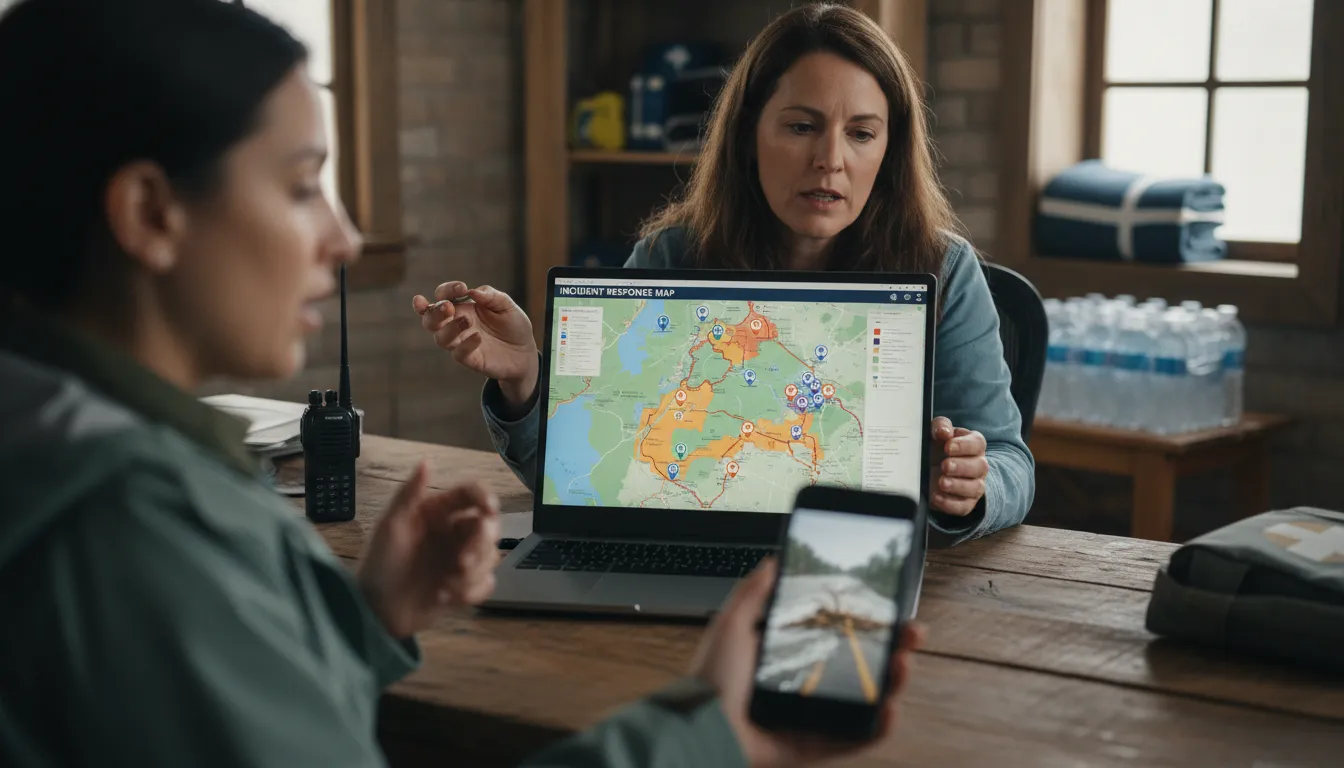
Incoming reports and the incident picture
A mass notification system can send urgent instructions to a large group. A community alert app can also bring field observations back to the organization. In a mass notification system vs community alert app comparison, that return path matters during a fast-changing event.
Residents may report blocked roads, damaged homes, flooding, power hazards, or unmet needs. These reports can help an organization see where conditions may be changing. The CDC notes that disaster surveillance planning should define objectives and choose reliable data sources for response.
Reports are inputs, not final findings. Staff can group similar observations, look for urgent patterns, and compare them with trusted sources. That process gives responders a clearer working picture without treating every report as confirmed.
Triage and volunteer assignment
Incoming observations can help teams sort requests by risk and need. A report about a downed line calls for a different path than a request for supplies. Teams can route safety threats to proper authorities, while trained volunteers support tasks within approved roles.
This two-way model supports emergency coordination platform. NGOs and CERT teams can use reports to match volunteers with welfare checks, supply delivery, or cleanup needs. They can also record updates that support a later view of service gaps and community impact.
After the first response period, organized reports can help show which areas received aid and which still need support. That view helps teams plan follow-up work. It also helps avoid sending limited volunteer capacity to a need already addressed.
Verification and public safety boundaries
Citizen reporting does not shift command to the public. Emergency managers, public safety agencies, and authorized response leaders remain responsible for verification and action. They decide whether a report needs dispatch, further review, a volunteer task, or a public message.
PubSafe does not replace 911 or professional responders. Anyone facing an immediate threat should contact emergency services first, then use the app only when safe and appropriate. Residents and volunteers can learn how to report an incident with clear, useful details.
A bidirectional tool is most useful when its limits are clear. Alerts tell people what authorities know and what action to take. Citizen reports can add timely ground-level context, while trained leaders confirm information and direct the response.
Mass notification system vs community alert app workflow
PubSafe helps organizations connect outward alerts with reviewed reports, coordinated assignments, and status updates. Comparing a mass notification system vs community alert app becomes easier when the work is mapped step by step. A broadcast message can tell residents what is happening and what action to take. A bidirectional workflow also creates a clear path for useful reports, review, response, and updates.
That path needs structure. CDC disaster surveillance guidance calls for defined objectives, chosen variables, and reliable data sources. Community reports should support decisions, not create an unreviewed stream of posts.
From alert to verified action
The same workflow can handle a downed tree after a storm or needs during a major emergency. It begins with an official message, then keeps information moving back to the group that can act.
- Send an official message. The organization posts a clear notice, location, safety direction, and request for reports if help is needed.
- Receive citizen reports. Residents or trained volunteers submit observed needs, hazards, or offers to help through the community channel.
- Verify the report. A coordinator reviews the location and details, checks for duplicates, and routes urgent danger to professional response channels.
- Assign a response. Staff coordinate the task or connect approved volunteers with suitable work, such as supply delivery or welfare checks.
- Close the loop. The organization updates the incident status and sends follow-up information so residents know what changed and what remains open.
Routine work and emergency response
This cycle is useful before a crisis. A CERT team or nonprofit can use it for event coverage, training, supply requests, or community support tasks. During an emergency, the same pattern helps organizers sort incoming reports and share updated direction without losing the official voice.
A one-way alert still matters when speed and reach come first. The difference is what follows the alert. A two-way emergency response approach gives reported needs a route toward review, assignment, and status updates.
A practical coordination layer
Bidirectional communication is not a replacement for 911 or professional first responders. It is a coordination layer for organizations, residents, and volunteers who need shared awareness and clear next steps. Roles should be set before an incident, so reports reach the right reviewer when conditions change.
For an example of how alerts, reporting, and coordination fit together, see how PubSafe works. The goal is simple: send trusted direction, gather useful input, act on verified needs, and keep the community informed.
Which approach fits your organization?
Broadcasts or response coordination
Choosing between a mass notification system and a community alert app starts with the work your team must do. A broadcast tool fits a clear need: send urgent instructions fast to a defined audience. A bidirectional platform fits work after the alert, when reports, volunteers, and local updates shape action.
For local agencies, field information can matter as much as message delivery. The CDC’s disaster surveillance guidance tells planners to define objectives, choose variables, and select data sources. Ask whether partners must report hazards, needs, or status after a notice is sent.
Needs by organization type
An NGO may send safety instructions, then assign volunteers and record what happened. A CERT team may need routine coordination before storms and field feedback during response. In those cases, incident reporting and volunteer coordination is more useful than alerts alone. Communication also supports the response team.
A local government agency may still need broad public alerts as its first duty. Yet it should ask if existing tools capture trusted updates from staff or community partners. If not, compare systems by feedback, task coordination, and clear incident records, not reach alone.
Your choice should also reflect who uses the system each week. Volunteer groups need workflows staff can explain quickly and practice during daily activity. Government teams should set approval roles before public reporting begins. These checks turn a product comparison into a response plan.
Questions for your review
Use the mass notification system vs community alert app decision as an operations review, not a feature contest. Meet with emergency managers, volunteer leads, and communication staff, then answer these questions:
- Do we only need to issue notices, or must teams receive and act on field updates?
- Who can submit reports, and how will staff review, verify, and route them?
- Do NGO or CERT volunteers need assignments and records for routine work or emergency response?
- Can staff test the workflow during routine operations before a disaster places it under pressure?
Document one common incident, such as flood damage or a shelter supply need. Map the notice, incoming report, review step, volunteer assignment, and status update. This exercise shows whether one-way broadcasting is enough, or whether coordination must be part of the tool.
Organizations that need reporting and coordination can review organization registration to assess the next step. Keep emergency calling and official response processes in place. A platform should support them, not replace them.
Questions to ask before selecting emergency communication software
When comparing a mass notification system vs community alert app, start with the action your organization must support. Sending instructions is one need; gathering reports, assigning roles, and following field work is another. Map those needs before comparing feature lists or subscription tiers.
Reach and two-way reporting
Ask whether your first priority is outbound reach, inbound updates, or both. A broadcast tool can send urgent instructions, while a coordination platform can collect incident reports and support follow-up. PubSafe frames this difference through its approach to disaster response platform.
Next, define the reports your team can use: location, need type, photo evidence, status, or volunteer availability. Do not collect data only because a tool offers a form. The CDC recommends defined goals and data sources when planning disaster surveillance.
- Outbound reach: Which groups must receive an urgent message, and how will staff confirm it was sent?
- Inbound reporting: Can community members report a need, and can your team review reports without losing context?
- Coordination: Can leaders assign work, update a status, and separate public information from team actions?
Operations and team roles
Emergency software should fit the people doing the work. Ask who reviews citizen reports, who assigns tasks, and who needs a shared view during an active response. Then test whether role-based access and notices match that workflow.
Consider routine use as well as disaster use. A team that practices coordination in normal operations can test its process before an emergency. PubSafe is designed for daily operations and emergency response, so ask how often members will log in between activations.
- Routine work: Will the tool support volunteer coordination, planned events, and follow-up after reports?
- Training: Can a new volunteer learn the reporting and task steps before a crisis?
- Accountability: Can managers see open work and maintain records their program needs?
Public visibility and adoption
A public-facing view may help when residents or partners need a shared picture of reported activity. If public visibility matters, review how a platform presents information on a public map and what controls your organization needs.
Finally, plan for adoption before purchase. Ask how volunteers enroll, what training is needed, and how staff will support use during routine work and urgent events. The right choice is the one your team can run with clear roles, useful reports, and repeatable practice.
See how PubSafe connects incident reports with coordinated response.
Frequently Asked Questions
PubSafe supports organizations that need official messaging, community incident input, and coordinated follow-up in one response workflow.
How does a bidirectional community alert app improve emergency response?
A bidirectional community alert app does more than deliver instructions. Residents and volunteers can report conditions, request help, and share local updates through the same coordination channel. This can improve situational awareness for response teams. The CDC notes that citizen science can support emergency preparedness, response, and recovery capabilities when agencies integrate community information into their work.
Why should local governments consider community alert apps over traditional one-way mass notification systems?
Local governments should compare the need to broadcast alerts with the need to gather reports after an event begins. A one-way system sends critical instructions, but it does not inherently collect field information from residents. A bidirectional platform can support citizen reporting, volunteer coordination, and situational awareness. It should supplement official emergency procedures, not replace 911 or trained first responders.
Can mass notification systems be used for daily routine communications?
Yes. Organizations may use a notification system for routine updates as well as urgent warnings, if messages are clearly prioritized. Daily use can help administrators maintain recipient lists and communication habits before an emergency occurs. For groups that also coordinate volunteers or collect community reports, a bidirectional platform may better support both routine operations and disaster response than broadcast messaging alone.
What features should I look for in an emergency alert app?
Look for reliable outbound alerts, simple administration, defined user roles, and ways for community members to submit useful incident information. If volunteers are involved, consider coordination and activity tracking features. Reporting tools should help staff review information and act on it responsibly. The CDC disaster surveillance guidance emphasizes clear objectives, selected variables, reliable data sources, and plans for reporting results.
Schema follows. Marker.
Schema ends. Marker.
Ready to coordinate when every report matters?
When alerts only travel outward, organizations may miss community reports that help teams identify needs, direct volunteers, and update local partners. Waiting to add two-way communication can keep leaders and residents working from incomplete information when conditions change quickly. Starting now gives your group time to practice a shared coordination process before an urgent situation puts it under pressure.
Ready to move beyond one-way alerts? Install the free PubSafe app and explore community coordination today. Contact your team to plan how citizen reports and organized updates fit preparedness work. Begin with a simple review, invite key volunteers, and identify the information your group needs to share in daily operations. Early practice can help each participant understand roles, communication steps, and practical next actions.


