
When a severe storm strikes, emergency managers need fast and accurate updates from the field. Relying on chaotic phone calls and scattered text messages during a disaster slows down vital rescue efforts.
Modern situation report SITREP software is a secure tool for emergency response teams. It helps Community Emergency Response Teams (CERTs) and non-governmental organizations (NGOs) write and share real-time incident updates. This tool replaces slow paper forms and spreadsheets by keeping all data in one place. This reduces reporting delays and prevents mistakes during high-stress disaster response operations. The Illinois Emergency Management Agency requires a proper situation report to deliver a clear, short update of current incident status. By automating this work, the software helps field leaders and emergency operations centers track volunteer deployment, monitor resource needs, and send vital updates instantly. This central database ensures that all teams work from the same reliable information.
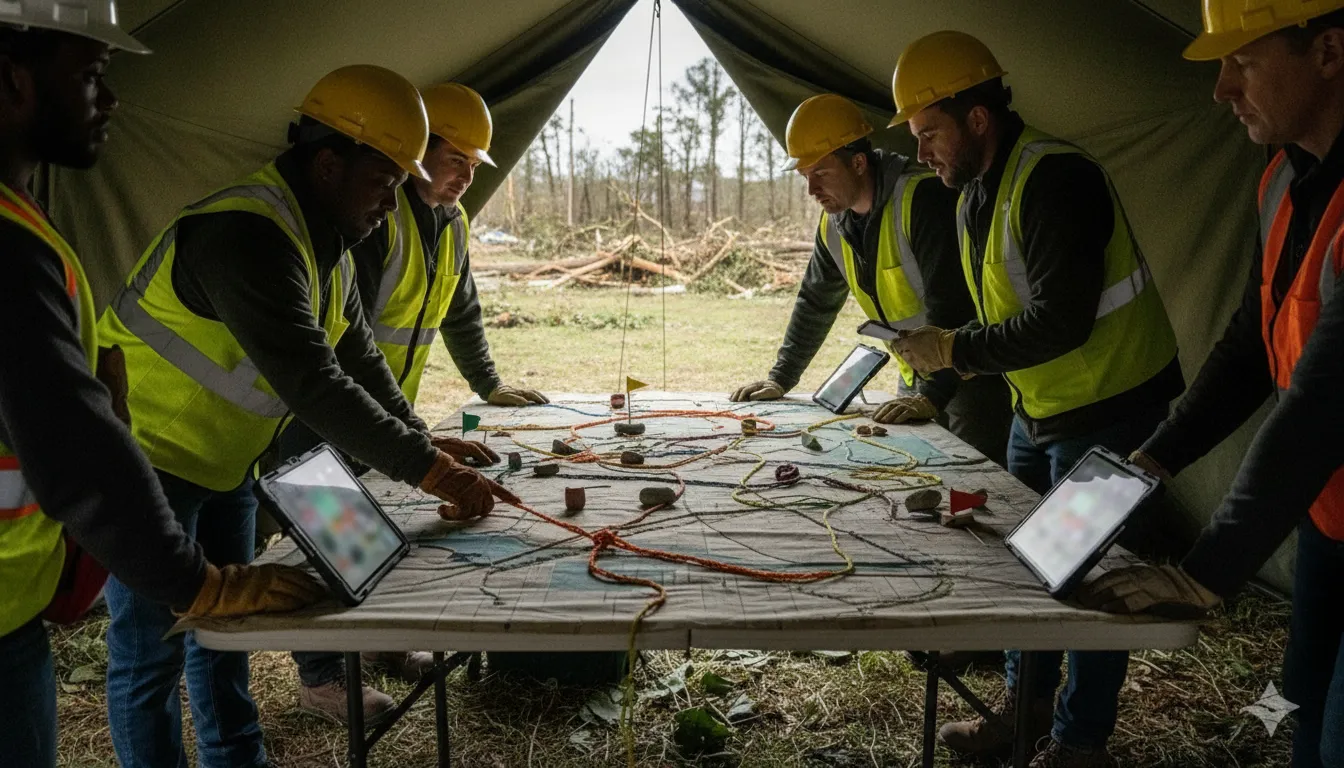
How do these reports work, and what makes them so vital for community safety? Understanding the core role of these documents is the first step in improving team coordination. Let us start by looking at What Is a Situation Report (SITREP) in Emergency Management?
What Is a Situation Report (SITREP) in Emergency Management?
A Situation Report (SITREP) is a concise update on the current status of an emergency incident. It maintains situational awareness as a central source of truth. Response teams, NGOs, and emergency managers use it to coordinate actions and track resources.
During a crisis, response teams need a clear way to share operational updates. A Situation Report (SITREP) is a critical document in emergency management. It gives leaders a concise update on the current status of an incident. It keeps everyone on the same page, from local field teams to central coordinators.
Need a better way to communicate during a crisis? Contact PubSafe today to find out how our free mobile app and coordinator portal can help your team.
How a SITREP differs from a status report
Standard status reports often focus on project milestones. In contrast, a situation report is built for the rapid pace of crisis operations. You can deliver a situation report in writing or give it verbally in 30 seconds to 5 minutes. It focuses on what is happening right now, not on past tasks. This speed is needed when teams must make fast decisions on the ground.
Status reports are common in normal business settings, but they do not help much during active emergencies. A crisis needs a fast, direct tool. A SITREP gives leaders immediate facts. It skips the background details and tells response teams what they need to know right now.
The role of SITREPs in emergency operations
A situation report is the central source of truth for an entire team. It helps maintain situational awareness across different groups. When emergency managers, local governments, and Community Emergency Response Teams work together, they must share facts fast. Using situation report SITREP software helps coordinate these efforts. It links field workers, emergency managers, and volunteer teams together.
Community Emergency Response Teams (CERTs) use SITREPs to track how an incident changes over time. They look at current safety risks, field needs, and team locations. This constant flow of data helps leaders send help where it is needed most. It also helps teams find gaps in their response before they become big problems.
Benefits of a unified source of truth
When a disaster hits, communication can break down. Having a single source of truth prevents confusion while keeping everyone focused on the main goal. It shows what is happening, what is needed, and who is doing the work. This keeps resources where they do the most good.
SITREPs are vital tools in emergency management that define the current operational picture. Unlike slow status reports, they are built for speed and clarity. Using digital tools helps teams share these vital updates in real time to coordinate response efforts.
The Best SITREP Template Fields for Response Teams
Standard situation report templates help response teams share key event data fast. This section covers key metrics like active missions, population impact, and resource needs for emergency teams.
During a crisis, response groups need clear, standardized data. Using a set list of template fields keeps everyone on the same page. Response teams can save time by automating incident SITREP creation to share data fast.
The bottom line up front approach
Emergency managers must see the most vital updates first. Standard reports often put key facts at the end of the page. To fix this, top templates use a Bottom Line Up Front, or BLUF, section at the very top.
This brief block gives a quick snapshot of the event. For example, it might state that no injuries or deaths have occurred yet. This is a standard best practice outlined by the Illinois Emergency Management Agency. It ensures leaders can make fast choices without reading long logs.
Essential operational and impact fields
A good template must cover more than just the basic facts of the event. It needs fields for real-world operations and local impact. For example, the state of Oregon has counties track very specific metrics during disasters.
According to Oregon Emergency Management guidelines, these include initial counts of affected people, utility outages, closed roads, and active shelters. Gathering this level of detail helps groups deploy aid where it is needed most. It also helps teams find gaps in their resources.
When building your own situation report forms, include these core areas:
- Operational status: The current phase of the response and active missions.
- Critical issues: Major hazards, blocked paths, or active safety threats.
- Weather and utilities: Wind, rain, or heat details alongside power and water status.
- Injuries and safety: Reports on injured people, deaths, and immediate life-safety needs.
- Mass care and shelters: The locations of open shelters and how many people are staying there.
- Declarations and status: Local emergency declarations and contact lists for key leaders.
Structured formats for specialized response
Highly trained search groups use even tighter reporting methods. For instance, the FEMA Urban Search and Rescue system uses a highly structured SITREP format. This form focuses on the main needs during search tasks.
It separates reports into clear slots for assigned gear, recent tasks done, and injured people. It also asks teams to list their planned tasks for the next 24 to 72 hours. This future view helps planners match resources to needs.
Using a set list of fields helps Community Emergency Response Team (CERT) volunteers and emergency centers work as one. It prevents teams from losing time when looking for vital updates. Standard fields turn raw facts into tools that the whole team can use to save lives. This structured approach builds a strong foundation for any disaster response.
How to Write a Concise SITREP Your Team Can Act On
Writing a clear situation report requires a structured process that leads with the bottom line. Emergency teams must focus on critical issues, current status, assigned resources, and upcoming tasks. Following a standardized layout ensures that responders can make fast, accurate decisions during high-stress operations.
Disaster response teams need fast and clear updates to save lives. When a crisis hits, Community Emergency Response Teams (CERTs), NGOs, and EOC staff must share facts without delay. Using a standard report helps everyone stay on the same page. To improve teamwork, using modern CERT situation report software makes writing simple and fast.
The BLUF Method
Many teams struggle to write clear updates because they bury the most vital facts. Responders do not have time to read a long report during a fast-moving crisis. The Bottom Line Up Front (BLUF) method solves this problem by putting key status updates first. This style of writing makes sure that leaders and field teams can see key needs in seconds.
The Step-by-Step Process
A good report follows a set path. You should draft your update using these six steps to keep your team informed during a crisis.
- Lead with the bottom line: Put your main point first using the Bottom Line Up Front (BLUF) format. State the most vital status updates, such as whether there are injuries or deaths, so leaders get key facts right away. This standard practice is detailed in the Illinois emergency guidelines.
- State critical issues and unknowns: List urgent threats and life-safety concerns. Highlight what you do not know yet, such as unknown hazards or missing search zones, to prevent field accidents.
- Detail current status and actions: Share active field conditions and what your team has done. Include weather conditions, utility status, and the state of major roads to paint a clear picture of the scene.
- Note assigned resources and gaps: List the staff, trucks, and tools now in the field. Show where you have enough help and where you need more assets to finish the job.
- Outline planned tasks: State your next steps for the next 24 to 72 hours. FEMA’s Urban Search and Rescue guidelines show that planning for these windows keeps operations smooth, as seen in this FEMA guide.
- Keep it brief and timestamped: Use short sentences and bullet points. Always add a clear date and time to the report so readers know exactly when the data was fresh.
Operations Resource Planning
Writing a situation report by hand can lead to mistakes. During a crisis, small errors in data can cause major delays. High-quality SITREP software for your EOC helps your team track vital metrics in real-time. This includes tracking affected population estimates, utility outages, and shelter data as outlined in this Oregon emergency report. When you use proper situation report SITREP software, you can automate these steps and keep your field teams safe.
How Situation Report SITREP Software Beats Manual Spreadsheets
Many response teams still use basic sheets to track crisis events. But these manual tools often cause big delays when lives are on the line. When a crisis hits, you need a system that keeps everyone on the same page.
Using situation report SITREP software ensures that critical data flows without friction. With old systems, you have to wait for one person to finish before you can edit. This creates delays when every second counts.
Flexible forms for better speed
Manual sheets make response teams work too slowly during a crisis. In a big crisis, you cannot afford to wait for slow updates. Shared situation report SITREP software speeds up data entry. It cuts delays by letting many people input facts at the same time.
You can share real-time updates across different response teams as the crisis unfolds. This fast sharing reduces the lags common in manual ways, which aligns with standard Illinois emergency management rules. Faster updates mean better safety for everyone in the field.
Custom templates for each event
Every crisis is distinct. A house fire needs other data fields than a winter storm or a flood. Manual sheets are hard to change on the fly. But modern SITREP systems offer custom forms to help you adapt.
Also, automating SITREP notifications ensures that the right team members get alerts fast. This means you do not have to copy and paste data into emails or texts during a high-stress event. You can set up fields for clear tasks, such as tracking open shelters or missing persons. Standard sheets cannot adapt this quickly.
| Incident Tool | Speed & Sharing | Error Risk & Customization | History & Team Coordination |
|---|---|---|---|
| Manual Spreadsheets | Slow to write; hard to share fast. | High typo risk; hard to change fields. | Scattered files; siloed response. |
| SITREP Software | Fast entry; instant real-time sharing. | Low typo risk; easy custom templates. | Central database; unified coordination. |
Better after-action reviews
Saving data in a shared system helps teams after the crisis ends. Central databases make it easy to study past events. When you are using SITREP data for After Action Reviews, having a clear list of events is key. You can see what went well and what went wrong.
With paper or sheets, files get lost or mixed up. Dedicated software keeps all logs in one place, so you can find trends and improve future training. This simple way ensures you have correct records to meet rules. It also makes it easier to justify funds and help for future events.
How SITREP Software Helps CERT Teams and EOCs Coordinate
Volunteer mission tracking
Volunteer groups need simple tools to report their work. When disaster strikes, a Community Emergency Response Team (CERT) must act fast to protect lives. Using modern CERT situation report software helps these volunteer groups track deployments, monitor team status, and check mission progress in real time. This makes it easier for team leaders to assign tasks without sending extra radio messages.
Instead of using paper logs, volunteers can send quick updates from their phones. This keeps team leaders informed about where teams are and what help they need. In a crisis, these instant updates stop confusion and help leaders make smart choices about volunteer safety. It also ensures that backup teams are ready to step in when a task gets too difficult.
Streamlined EOC field aggregation

EOCs (Emergency Operations Centers) must look at the big picture. They need to collect data from many field teams at once. Specialized situation report SITREP software lets an Emergency Operations Center gather field data, speed up report approvals, and follow NIMS and ICS rules. This software acts as a resilient emergency-management-platform that works even when standard networks go down.
For example, FEMA uses standard report formats to track resources and plan next steps, as outlined in the FEMA US&R reporting standards. When field data flows directly into the system, staff can approve reports in minutes instead of hours. This stops delays, helps managers see risks sooner, and ensures the county meets federal rules.
Faster local government response
Local government emergency managers sit between volunteer groups and county EOCs. They must make sure both sides speak the same language during a crisis. Standard software helps bridge this gap. By using tools for automating incident SITREP creation, cities can reduce reporting delays and stop manual errors.
Volunteer groups can share local updates, while city leaders can review county-wide needs on one dashboard. This shared view helps leaders send resources where they are needed most. During a large event, having one clear picture of the disaster can save lives and help communities recover faster. It also helps the city build a strong record for future federal aid.
Using SITREPs to Drive Faster Decisions and Better After-Action Reviews
Clear status updates help response teams make quick, best choices during a crisis. Centralized situation reports keep all levels of command aligned in real time. They also build a strong base for after-action reviews once the event ends.
Speeding up field decisions
Emergency managers face high stress and must act fast. Making choices without facts is a major risk. Local leaders and Community Emergency Response Team (CERT) commanders need solid data to direct their crews. NGO staff also rely on these same clear facts.
Without a standard system, field reports come in via voice calls, text messages, and paper notes. This creates a mix of raw data that is hard to read. Leaders waste time trying to make sense of the noise. Using centralized software lets crews enter data into clean forms. This gives EOC leaders the exact facts they need to make hard choices in seconds.
With clear situation report SITREP software, teams can log status updates as they happen. Real-time sharing keeps decision-makers aligned, which cuts down on delays when lives are on the line.
Keeping command levels aligned
In any large response, keeping all groups on the same page is hard. If one crew does not know what another is doing, work is often wasted. A situation report is a critical document used in emergency management to give leaders a brief status update, as the Illinois Emergency Management Agency explains. When teams share these updates instantly, everyone from field volunteers to agency heads can see the same clear view. This keeps goals clear and prevents mistakes.
Improving future responses with reviews
SITREPs do not lose their value once the incident is over. In fact, they are just as important for learning how to do better next time. Centralizing SITREP data in a single software tool lets emergency teams save all past updates in one place. This makes it easy to review how teams acted and how resources were used. This organized store of facts is the key to using SITREP data for After Action Reviews. By looking back at what happened step by step, teams can find what worked well and what went wrong during the response.
With a complete log of all SITREPs, review teams can answer critical questions:
- When and where did the incident first escalate?
- How fast were resources sent to the scene?
- At what point did communication barriers slow down the response?
- What plans need to change before the next emergency?
Ready to replace paper SITREPs with live, shareable updates your whole team can see in seconds? Contact PubSafe to try the free PubSafe app and start automating your situation reports today.
Frequently Asked Questions
Why is SITREP software important for EOC teams?
EOC teams use custom SITREP software to gather field reports in one place. According to the Illinois Emergency Management Agency, a SITREP provides a concise update on the current status of an incident. Using SITREP software helps EOC teams get these reports approved faster to meet standard rules.
How does SITREP software streamline communication for CERT volunteers?
For Community Emergency Response Team volunteers, mobile tools replace messy radio calls and paper notes. As shown by PubSafe, SITREP software helps volunteer groups track where teams are sent and how each job is going. This gives everyone a shared view of the disaster area, making local response efforts much safer and faster.
What are the benefits of using software over manual SITREP forms?
Manual forms often lead to slow data entry and human mistakes. As noted by PubSafe, SITREP software instantly shares live updates in real time to keep teams safe. It also stores old reports in a safe cloud. This makes it easy for teams to study past events and write after-action reviews later.
How can SITREP software improve incident response time?
In an emergency, sending paper forms or making radio calls slows down the response. As noted by PubSafe, SITREP software gathers data in one place to cut reporting delays. When field teams can log facts on a phone, leaders see updates instantly, which helps them send resources and help right away.
Ready to Streamline Your Emergency Coordination?
Using slow manual processes during an active crisis can lead to major communication delays and put vulnerable lives at risk. Standardizing your situation report template right now ensures your rescue team can share critical field status updates when every second counts. Transitioning to a digital emergency management platform today allows your response team to coordinate volunteers and dispatch aid without losing precious time.
Ready to improve your response speed? Contact PubSafe to try the free PubSafe app and start automating your SITREP creation process today. Our resilient coordination platform helps Community Emergency Response Teams, volunteer groups, and emergency operations centers work together during severe communication outages. Setting up your digital dashboard now prepares your organization to manage any future disaster with confidence and complete situational awareness.


