A hurricane does not wait for a team to reconcile three spreadsheets, find the latest volunteer roster, or sort through text messages for a resident’s address. The best emergency coordination tools give incident leaders one operational picture: what is happening, who needs help, which resources are available, and what work has already been assigned.
For emergency-management departments, CERT programs, NGOs, and public-safety partners, the right system is not simply a communication app or a digital filing cabinet. It must support the full response cycle, from blue-sky readiness through gray-sky operations and recovery, while protecting sensitive information and keeping community participation organized.
What the Best Emergency Coordination Tools Must Do
Emergency coordination breaks down when information arrives faster than a team can validate, assign, and act on it. A resident reports a blocked road. A volunteer offers equipment. A shelter needs supplies. A field supervisor requests an additional team. Each report has value, but only if it enters a structured workflow.
The strongest tools connect intake, decision-making, field activity, and documentation. They should help leaders capture requests with location and contact details, assess priority, assign the right people, track progress, and preserve a record of what occurred. That record matters during an active incident, but it also supports reimbursement, after-action reporting, compliance, and future planning.
A useful platform should also serve different roles without forcing every user into the same view. Command staff need a broad operational picture. Dispatch leaders need queues, assignments, and status changes. Volunteer coordinators need current qualifications and availability. Field teams need clear task details and a simple way to report completion or changing conditions.
A shared operating picture
Live mapping is one of the clearest tests of whether a coordination tool supports real operations. A map should do more than display pins. It should show the relationship between incidents, requests for assistance, assigned resources, active work orders, shelters, hazards, and operational boundaries.
This visibility helps leaders spot gaps. If multiple welfare checks are concentrated in one neighborhood, a supervisor can redirect teams before a backlog becomes a larger life-safety concern. If road closures affect a delivery route, logistics staff can adjust before sending volunteers into an avoidable delay.
Mapping must be paired with disciplined data practices. An inaccurate location, duplicate request, or outdated status can create false confidence. Look for tools that make updates easy for field personnel while maintaining clear ownership and review processes for operational data.
Structured intake from residents and partners
Community reports are often the earliest local signal of changing conditions. Residents may see flooding, downed trees, power hazards, stranded animals, or neighbors who need assistance before official teams can reach the area. Treating those reports as unstructured social-media activity leaves valuable intelligence outside the response process.
The best systems provide a safe, simple channel for citizens to report hazards, needs, and conditions. Reports should feed directly into an organized review and dispatch workflow, not disappear into an inbox. Teams need the ability to categorize the report, confirm details, establish urgency, assign follow-up, and communicate when appropriate.
This is also where public trust matters. Citizens are more likely to use an official reporting channel when it is clear what information is needed and when they can expect a response. A tool should support two-way communication without exposing sensitive operational details or personal information to the wrong audience.
Core Capabilities to Compare
When evaluating emergency coordination software, start with the workflow your organization uses during a real activation. Avoid choosing a platform based only on a polished dashboard or a long feature list. The question is whether the system reduces handoffs and confusion when conditions are changing quickly.
Volunteer and credential management
Spontaneous volunteers can be a major asset, but they can also create safety, liability, and accountability challenges. A coordination system should maintain current member profiles, certifications, training records, emergency contacts, skills, availability, and assignment history.
During an incident, coordinators need to know more than who raised a hand. They need to know who is qualified for damage assessment, chainsaw operations, shelter support, animal response, radio communications, or other mission-specific work. The system should make it possible to build appropriate teams quickly and document who was assigned where.
Generic volunteer tools can handle sign-ups, but may not account for credential expiration, field check-in, mission assignments, or operational supervision. For organizations that deploy people into hazardous or sensitive conditions, those differences are not minor.
Dispatch, work orders, and status tracking
A request becomes actionable only when it has an owner, a priority, and a next step. Dispatch features should let coordinators create assignments, send task details, track acknowledgement, and update status from open through completion. Work orders are especially useful when the mission involves repeatable actions such as debris assessments, welfare checks, supply delivery, or damage documentation.
Look for clear status definitions that match your operating procedures. “Assigned” should not mean the same thing as “en route,” and “completed” should not be used when a task was attempted but could not be finished. Consistent status language prevents a command center from mistaking activity for results.
Mobile access is essential, but it should be practical. Field users need concise task instructions, map locations, contact information, safety notes, and a way to submit updates without navigating a complicated interface. If connectivity is limited in your service area, ask how the platform performs under those conditions and what fallback processes are available.
Alerts and operational communications
Emergency alerts have different purposes. Some notify residents about protective actions. Others direct volunteers to report for duty, advise partner agencies of a change, or update a field team about a hazard. A capable tool helps organizations segment communications so the right message reaches the right audience.
Speed matters, but message governance matters too. Establish who can issue alerts, what approval is required, and how messages are recorded. During a fast-moving event, conflicting updates can erode confidence and send people toward unsafe actions.
Communication features should complement, not replace, established public-warning systems, radio procedures, and mutual-aid protocols. The best fit depends on your jurisdiction, existing systems, and the communities you serve.
Secure records and accountable operations
Emergency operations often involve personal contact details, health or access needs, incident locations, volunteer records, and sensitive partner information. A tool should support secure access controls and give leaders confidence that users see the information appropriate to their role.
Cloud access can be a major advantage when offices are closed or staff are dispersed. Still, ask practical questions: Can administrators manage permissions? Is activity recorded? Can data be exported for reporting? How are records retained? Does the platform support your organization’s policies for privacy and documentation?
Security should not make the system difficult to use. If responders bypass a platform because it is too slow or confusing, teams will return to personal phones, paper notes, and unmanaged message threads. The goal is controlled access that supports real field work.
Where Generic Tools Fall Short
Project-management software, shared spreadsheets, group messaging apps, and standalone map tools can all help with pieces of an operation. Smaller organizations may use them successfully for routine planning. The trade-off is that each additional tool creates another handoff, login, update process, and possible version conflict.
During a disaster, disconnected tools make it harder to answer basic command questions: Which requests are still open? Who has been deployed? What qualifications do they hold? Which areas have not been assessed? What did the community report in the last hour?
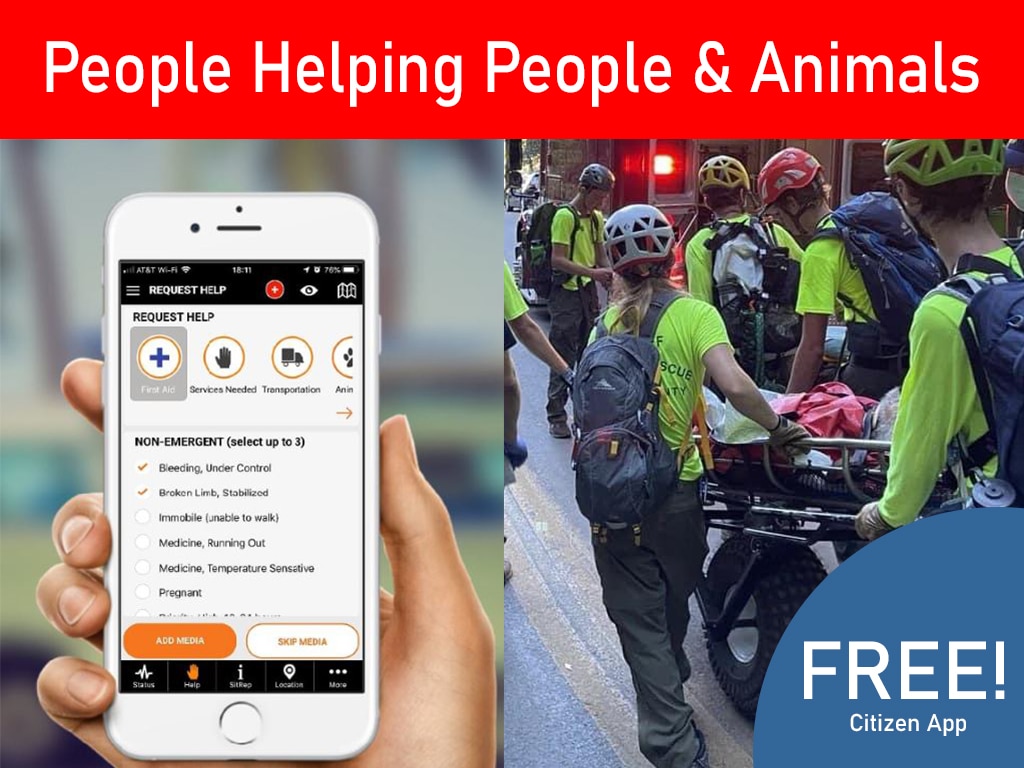
Purpose-built emergency operations platforms are designed to connect these questions. PubSafe, for example, brings volunteer and member management, certifications, training, help requests, work orders, dispatch activity, community alerts, and live mapping into one cloud-based operational environment. Its free citizen app gives residents a direct, organized way to report local conditions and assistance needs, helping response teams turn community observations into actionable intelligence.
How to Select the Right Tool for Your Organization
Start with three recent or likely scenarios: a severe-weather activation, a neighborhood evacuation, and a recovery mission involving volunteers and assistance requests. Walk each scenario from the first report through task closure. Identify where information is lost, where approvals stall, and where staff depend on personal knowledge instead of documented records.
Then evaluate platforms against your actual users. Include an incident coordinator, dispatcher, volunteer manager, field supervisor, and someone responsible for community communications. A tool that works only for command staff will not solve field coordination. A tool that works only for volunteers may not provide the oversight leaders need.
Before making a commitment, test the operational basics. Create a resident report, place it on a map, assign a qualified team, send the task, update its status, and produce a usable record. Confirm how the platform handles duplicate requests, changing priorities, shift changes, and sensitive information. These are the details that determine whether technology helps under pressure.
The right coordination tool does not replace trained people, local knowledge, or established incident procedures. It gives those strengths a dependable structure, so every report can be assessed, every responder can be directed, and every community member has a clearer path to help.