A responder may be willing to deploy, but willingness is not a qualification. During a storm, wildfire, shelter activation, or search operation, incident leaders need to know who has completed the required training, when a certification expires, and whether that person can safely take the assignment. Responder training software turns that question from a spreadsheet search into a verified operational decision.
For emergency-management teams, CERT programs, nonprofits, volunteer organizations, and public-safety partners, training is not an administrative side task. It is the foundation for safe mobilization. The right system helps leaders prepare people before an incident, confirm readiness during an incident, and document lessons after the work is done.
What Responder Training Software Should Solve
Training records often begin in good faith: a sign-in sheet after a class, a spreadsheet maintained by one coordinator, certificates stored in inboxes, and reminders sent manually when someone remembers. That approach can work for a small group with low turnover. It becomes unreliable when an organization manages multiple teams, recurring exercises, specialized roles, or mutual-aid partners.
The operational risk is not simply missing paperwork. Incomplete records can place an unqualified volunteer in a role that requires specific instruction, delay deployment while staff verify credentials, or leave leaders without an audit trail after an event. It can also discourage capable people when they are repeatedly asked to submit the same documents or attend training they have already completed.
A purpose-built platform should create one current responder profile that connects training history, certifications, contact details, role eligibility, and availability. That record needs to be useful in blue-sky preparedness and gray-sky operations. If training data lives apart from dispatch, work orders, requests for help, and incident maps, coordinators still have to assemble the operational picture by hand.
Build Readiness Around Roles, Not Just Courses
A course catalog alone does not create a deployable team. Organizations need to define what each role requires and then apply those requirements consistently. A shelter volunteer may need basic orientation, privacy training, and a background check. A chainsaw team member may require equipment-specific instruction, safety credentials, and supervisor approval. A damage-assessment role may require standardized assessment training and access to approved reporting forms.
Responder training software should let administrators organize these requirements by role, team, mission type, or jurisdictional policy. The goal is to answer practical questions quickly: Who can staff this shelter? Which volunteers are eligible for field assessment? Who is overdue for refresher training? Which team has enough qualified leaders for a 12-hour operational period?
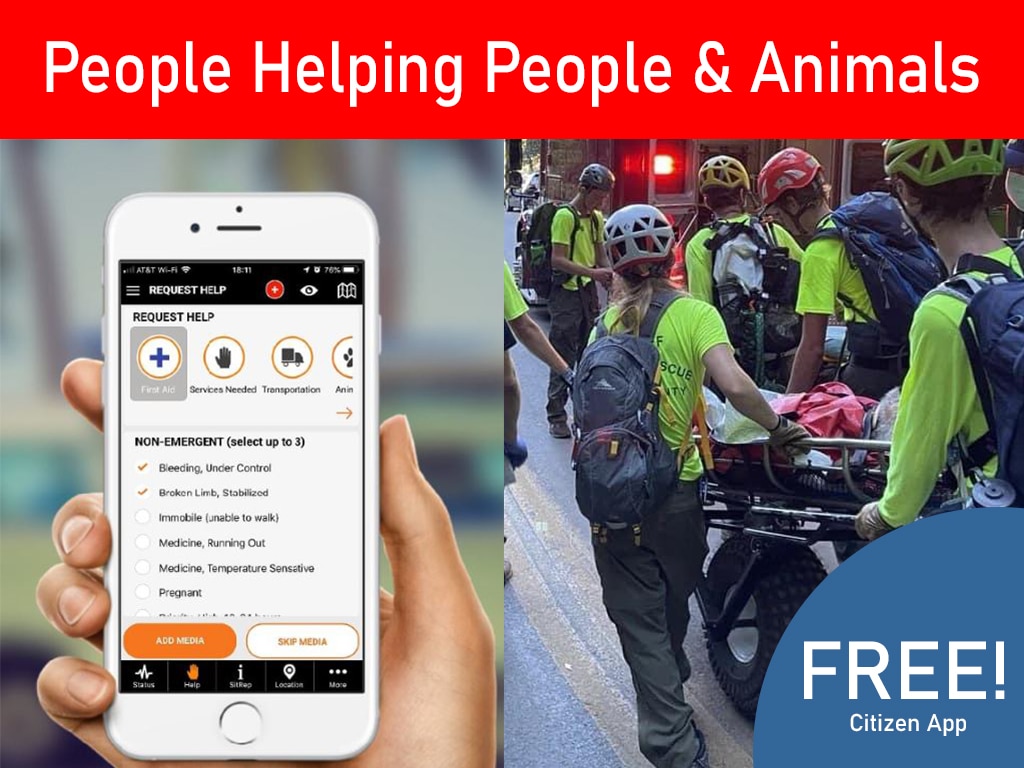
This approach also supports responsible inclusion. Not every resident needs advanced disaster-response training to contribute. A well-organized program can identify entry-level volunteer opportunities, assign appropriate orientation, and create a clear path toward more specialized roles. People Helping People & Animals works best when every participant understands their responsibilities and limits.
Track Certifications Before They Become a Deployment Problem
Expiration management is one of the clearest benefits of a centralized system. CPR, first aid, incident command, background checks, licenses, and local credentials may each follow different renewal schedules. Manual reminders are easy to miss, especially when the coordinator is also managing recruitment, exercises, and incident planning.
A training platform should provide visible status indicators and automated reminders well before a credential expires. Leaders need reports that separate fully qualified responders from those who are pending, expired, or missing a required document. Responders should be able to review their own records and submit updated certificates without relying on scattered email threads.
There is a balance to maintain. Not every record should be treated the same way. A general volunteer orientation may be valid for years, while a safety-sensitive qualification may need more frequent review. Configure renewal rules around actual policy and risk, rather than creating a burdensome process that people work around.
Connect Training to Exercises and Real Assignments
The strongest training programs do more than record completed courses. They schedule drills, document attendance, capture evaluations, and turn exercise findings into improvements. If a communication exercise reveals that field teams do not understand check-in procedures, the organization should be able to assign a targeted refresher and verify completion before the next deployment.
This is where disconnected tools create friction. A calendar may show that an exercise occurred, a spreadsheet may list attendees, and a separate drive may hold the after-action report. None of those records automatically tells an incident coordinator whether a responder is ready for a specific mission.
An integrated operations platform can connect training to the work responders perform. When a request for assistance enters the system, coordinators can review available people against the skills and approvals the mission requires. When a task is assigned, the assignment history can strengthen the responder record and provide context for future staffing decisions.
PubSafe supports this connected workflow by bringing training, certifications, volunteers, contacts, dispatch activity, requests, work orders, alerts, and live operational mapping into one cloud-based environment. That matters because readiness data becomes more valuable when it can inform action without being copied between systems.
Protect Sensitive Responder Information
Training data can include more than course names and completion dates. It may contain background-check status, medical or accessibility accommodations, licenses, identity documents, evaluation notes, and contact information. A responder training system must treat that information as operationally sensitive.
Look for role-based access so that the people who need to schedule classes do not automatically see every protected record. Supervisors may need to verify mission eligibility, while command staff may need organization-wide reporting. Volunteers should have appropriate access to their own profiles and documents. Clear permissions reduce unnecessary exposure while keeping the right information available when time matters.
Cloud access is also a practical need, not a convenience. During an emergency, staff may work from an emergency operations center, a mobile command post, a shelter, or home. Authorized users need a current view of qualifications without relying on one office computer or a locally stored file.
Choose Software That Fits the Whole Response Cycle
Generic learning-management systems can be useful for delivering online courses. They may be sufficient if an organization only needs a library of training modules and basic completion records. But emergency organizations often need more: volunteer intake, credential verification, field assignment, incident reporting, resource coordination, and community communication.
Before selecting a system, map the workflow from recruitment through deployment. Ask how a new volunteer is registered, how required courses are assigned, how certificates are reviewed, how expiring credentials are flagged, and how qualifications are checked during an active incident. Then ask what happens after the assignment ends. Can supervisors document participation, record hours, identify additional training needs, and preserve an accountable history?
A useful evaluation should also consider these operational questions:
- Can the system support different teams, roles, and qualification rules without creating duplicate records?
- Can staff quickly identify eligible responders for a particular mission or work order?
- Can responders update contact information and upload documentation through a secure process?
- Can leaders report on readiness gaps before disaster season or a planned event?
- Can training records work alongside citizen reports, incident activity, and field coordination?
The right answer depends on the organization. A small volunteer group may prioritize simple onboarding and renewal reminders. A countywide program may require structured permissions, multi-agency coordination, and a live view of field operations. The key is to avoid buying software that manages training well but leaves incident coordination in disconnected tools.
Make Training Data a Readiness Signal
Training should not disappear into a compliance folder after a class ends. Used well, it becomes a living readiness signal. Leaders can see whether enough people are prepared for shelters, damage assessment, call-center support, logistics, animal response, or neighborhood outreach. They can plan exercises around actual gaps instead of assumptions.
Community reporting strengthens that readiness picture as well. When residents can safely report hazards, needs, and local conditions, response leaders receive timely information from the places they serve. Qualified responders can then be matched to the work that follows, with clear oversight and documented assignments.
A prepared organization does not wait for an incident to find out who is trained, who is available, and who needs support. Start by organizing the records you already have, define the roles your missions require, and make readiness visible to the people responsible for protecting the community.