
Disaster Case Management Software for Community Organizations
Disaster case management software helps community organizations turn a difficult recovery process into a coordinated sequence of intake, needs assessment, referrals, follow-up, and status reporting. For nonprofits, faith-based groups, community networks, and volunteer-led response organizations, the right system keeps each household’s needs visible without losing sight of the broader response.
What is disaster case management software?
Disaster case management software is a digital workspace for coordinating support for people or households affected by a disaster. It helps a case manager capture needs, define recovery steps, connect the client with services, document follow-up, and report status to the organization or funding partners. It is different from a simple incident log because the unit of work is the person’s recovery journey, not only the event.
That distinction matters after a flood, wildfire, severe storm, public health emergency, or other disruptive event. A community organization may receive requests for temporary housing, food, transportation, medication, accessibility support, cleanup, benefits assistance, or emotional support. Each request may involve several partners and may change as the household’s circumstances change.
How does disaster case management differ from incident management?
Incident management is organized around an event and the operational actions required to stabilize it. Case management is organized around a person, family, household, or community member and the coordinated assistance required to support recovery. The two workflows can share information, but they should not be treated as interchangeable.
| Workflow | Primary focus | Typical questions |
|---|---|---|
| Incident management | The event and response operation | What happened? Where is it happening? Which team is assigned? |
| Logistics management | Supplies, facilities, transport, and resources | What is available? Where should it go? Who is moving it? |
| Case management | The individual or household recovery path | What does this person need next? Who owns the referral? Was it completed? |
A strong operating model connects these layers without forcing one tool to do every job. An incident report can identify a need. A logistics workflow can locate supplies or transportation. A case record can preserve the needs assessment, referral, follow-up date, and current outcome. Clear boundaries reduce duplicate outreach and help leaders see where a request is waiting.
What should the post-disaster case management workflow include?
A practical workflow should be simple enough for a busy community organization to use consistently and structured enough to support accountability. The exact fields will vary by mission, population, and privacy requirements, but the stages below provide a useful foundation.
1. Intake and triage
Start with a consistent intake that records the request, preferred contact method, location, urgency, accessibility considerations, and consent requirements. Triage should identify immediate safety concerns and route urgent situations to the appropriate emergency or public-service channel. Software should make it clear whether a case is new, assigned, waiting for information, or ready for a referral.
2. Needs assessment
Move beyond the first request. A household asking for cleanup assistance may also need temporary shelter, transportation, medication access, or help replacing documents. A structured assessment helps the case manager identify related needs without turning the intake into an unnecessarily long form. Record only the information the organization is authorized and equipped to manage.
3. Recovery plan and ownership
Translate the assessment into a small number of next steps. Each step should have an owner, a due date or follow-up point, and a clear status. The plan should be revisable because recovery conditions change. A useful system makes stalled work visible rather than hiding it in email threads, spreadsheets, or separate volunteer notebooks.
4. Referrals and partner coordination
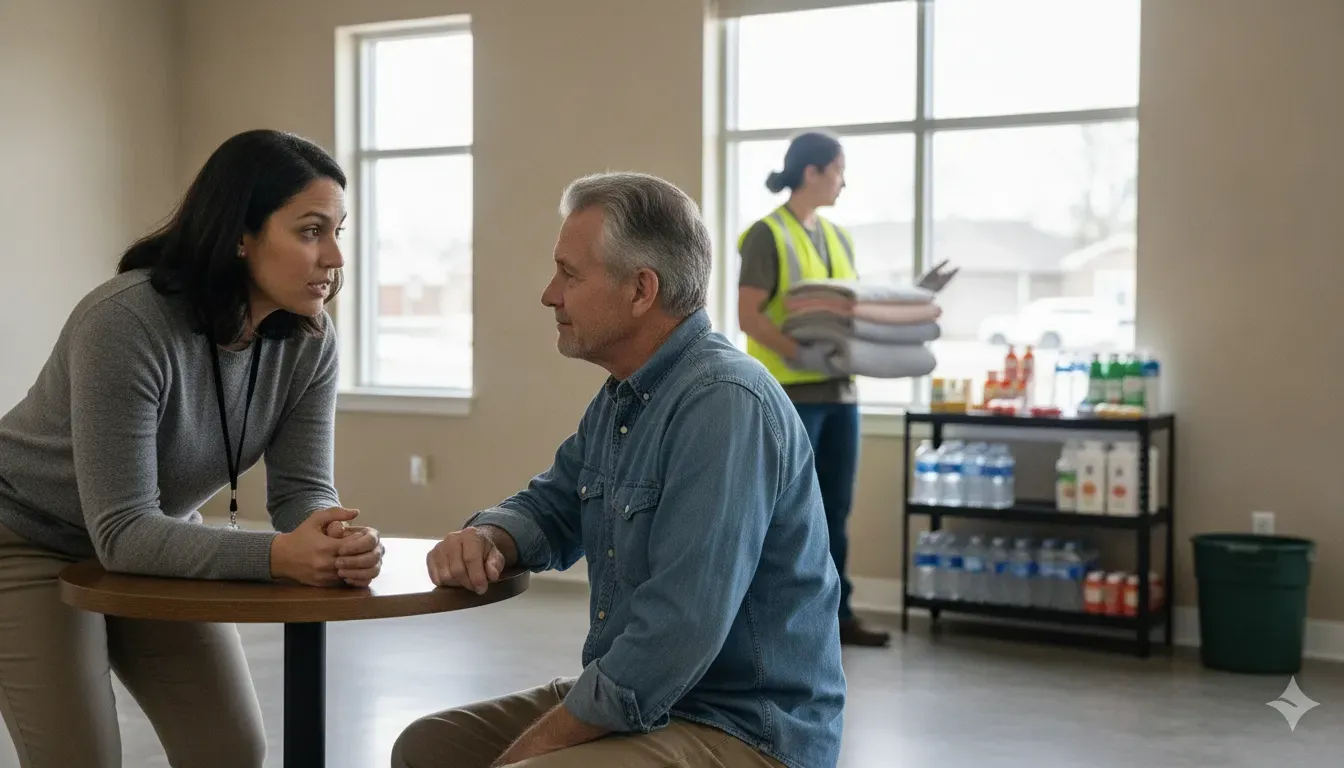
Many community organizations do not deliver every service directly. A case manager may need to coordinate with a shelter, food bank, health provider, transportation partner, faith community, legal-aid organization, or government program. Track the referral destination, handoff date, responsible person, follow-up expectation, and result. A referral is not complete merely because a phone number was shared.
5. Follow-up and closure
Follow-up confirms whether the person received help and whether the original need has changed. Closure should have a defined reason, such as the requested support being delivered, the client being connected to a long-term provider, or the case being transferred. A closed case should remain available for authorized reporting without being treated as an active assignment.
Which features should buyers look for?
Community organizations should evaluate software against the way their people actually work, including field volunteers, coordinators, partner agencies, and leadership. A product that looks powerful in a demonstration may still fail if volunteers cannot use it quickly or if managers cannot see ownership and status.
- Flexible intake: Capture the minimum information needed to triage a request, then expand the record when appropriate.
- Case ownership: Assign a coordinator or team and make unassigned work easy to find.
- Task and follow-up tracking: Show next actions, due dates, status, and overdue work.
- Referral visibility: Record partner handoffs and the result of each referral.
- Role-based access: Limit sensitive information to people who need it for their role.
- Mobile access: Support staff and volunteers who work away from a desk.
- Communication: Keep relevant team messages and status updates connected to the work.
- Location awareness: Help coordinators understand where needs, teams, and resources are located without exposing more location data than necessary.
- Reporting: Summarize open cases, completed referrals, response times, and unresolved needs.
- Export and integration options: Make it possible to work alongside the systems the organization already uses.
Privacy deserves special attention. Disaster response records can include sensitive personal circumstances. Before selecting a platform, define what information the organization is permitted to collect, who may view it, how long it should be retained, and what the platform is not intended to store. Do not assume that a general coordination platform is a substitute for a specialized client-record, health, legal, or benefits system.
For a broader look at how community teams coordinate people and information, see PubSafe’s disaster response platform and volunteer management guidance for nonprofits and CERTs.
How Should Organizations Implement a Case Management Workflow?
Implementation should begin with the work your organization already performs, not with a software feature list. A practical rollout makes responsibilities visible, tests the process on a manageable scenario, and gives staff time to correct gaps before the workflow is used during a larger recovery effort. The goal is a dependable path from first contact to follow-up, with clear boundaries around confidential case information.
Map intake, referrals, and ownership
Document how a request arrives, who screens it, how needs are assessed, and when it becomes a referral or an internal task. Include the handoffs between staff, volunteers, partner agencies, and leadership. Mapping the current process often reveals duplicate forms, informal email approvals, and referrals that have no named owner. An emergency resource request tracking process can support intake visibility, but a full case workflow should also show follow-up and closure.
Define roles and minimum data
Assign responsibility for intake, triage, case coordination, referral follow-up, supervision, and reporting. Then define the minimum information required at each stage. Depending on the organization, that may include contact preference, general location, stated need, urgency, consent status, assigned owner, next action, and follow-up date. Do not collect sensitive information simply because a system allows it. Decide which roles may view or edit each part of the record, and document when a case is transferred or closed.
Pilot with a non-sensitive scenario
Before migrating active cases, run the workflow with a fictional or non-sensitive example. Ask an intake worker, a volunteer, a coordinator, and a manager to complete their parts. Test a straightforward request and one that requires a referral. Look for unclear status labels, duplicate entry, missing notifications, and handoffs that depend on one person’s memory. Correct those issues before expanding the process.
Train, review, and improve
Training should cover both the workflow and the judgment required to use it. Staff and volunteers need to know what they may record, when to escalate an urgent concern, how to protect private information, and who owns the next action. Federal disaster case-management guidance also identifies coordination, training and coaching, resources, and support as implementation components. See the disaster case-management implementation guidance for that framework.
After launch, review open cases on a regular schedule. Focus on overdue follow-ups, unassigned work, stalled referrals, repeated requests, and cases that have no documented next step. Use those patterns to simplify forms, adjust role assignments, improve partner handoffs, and refine training. Follow-up should check progress toward recovery goals, not merely confirm that a message was sent. A workflow becomes reliable through this repeated review, not through the initial configuration alone.
How can PubSafe support a community organization’s casework?
PubSafe is a community-powered disaster response platform, not a dedicated clinical or social-service case-record system. Its value is in the coordination layer around casework. Organizations can use PubSafe for team and member management, incident reporting, volunteer coordination, messaging, location-aware visibility, and status updates while maintaining the specialized system or process used for confidential case records.
For example, a community organization could use PubSafe to organize response teams, receive field reports, coordinate volunteers, share verified updates, and keep partner activity visible. A case manager can then use that operational picture to understand which teams are active, where assistance is being delivered, and which needs may require coordination. Organizations can also connect this work to emergency resource request tracking when a case requires supplies or services. PubSafe can complement existing emergency systems rather than replace CAD, 911, or a specialized case-management record.
That boundary is important. Buyers should map the complete workflow before selecting tools: which system owns the case record, which system coordinates field activity, where referrals are tracked, and how leaders receive aggregate status. PubSafe’s overview of how the platform works can help organizations assess where a real-time coordination layer fits.
Buyer checklist for disaster case management software
Before choosing a platform, ask vendors and internal stakeholders these questions:
- Does the workflow reflect intake, assessment, referrals, follow-up, transfer, and closure?
- Can coordinators see who owns each next action and which cases are waiting?
- Can volunteers and partner organizations participate without seeing information outside their role?
- Does the platform work on mobile devices used in the field?
- Can it connect operational incident reports to the appropriate team without exposing confidential case details?
- What reports can leaders produce for open needs, completed referrals, and unresolved work?
- What happens when connectivity is limited, and what process handles delayed updates?
- Can the organization export its data and document retention or deletion practices?
- Which functions belong in a dedicated case-record system rather than a response-coordination platform?
Run a small workflow test before committing. Use a realistic, non-sensitive scenario and ask an intake worker, a volunteer coordinator, a partner liaison, and a manager to complete their parts. Watch for duplicate entry, unclear ownership, confusing status labels, and unnecessary exposure of personal information. Those friction points are more predictive than a feature list.
Frequently asked questions
What is the difference between disaster case management and disaster response software?
Disaster case management follows a person or household through needs assessment, referrals, and recovery follow-up. Disaster response software often covers the wider operational picture, including incident reports, team coordination, volunteer activity, alerts, and mapping. The two can work together, but one should not be assumed to replace the other.
Who uses disaster case management software?
Nonprofits, community organizations, disaster-recovery programs, faith-based groups, local partners, and humanitarian teams may use it to coordinate support for affected people. The right users depend on the organization’s service model, privacy obligations, and partner network.
Can a volunteer organization use disaster case management software?
Yes, if the workflow is simple, permissions are clear, and volunteers receive appropriate training. Volunteers may collect an initial request or complete an assigned task, while trained staff or authorized coordinators manage sensitive assessments, referrals, and case closure.
Does PubSafe replace a dedicated case management system?
No. PubSafe is designed as a disaster response coordination platform. It can support team management, incident reporting, volunteer coordination, messaging, and shared visibility around recovery work. But organizations should retain a specialized case-record system or approved process when their work requires one.
What should a disaster case management report include?
A useful report can summarize the number of open cases, current status, overdue follow-ups, referral outcomes, unresolved needs, and activity by team or service area. Reports should use aggregated information where possible and follow the organization’s privacy and data-retention rules.


