A storm does not wait for the next shift change, a cleaner spreadsheet, or a returned phone call. When calls, citizen reports, volunteer availability, road closures, shelter needs, and field updates arrive at once, leaders need one trusted operational picture. The essential emergency operations dashboard features are the ones that turn that incoming activity into accountable action without losing sight of the people and animals behind each request.
A dashboard is not simply a screen filled with charts. For an emergency manager, incident coordinator, or NGO operations lead, it is the working center for deciding what needs attention, who is qualified to respond, where resources are needed, and whether a mission has been completed. Its value depends on whether it supports real workflows before, during, and after an incident.
Essential Emergency Operations Dashboard Features for Command
A live, map-based operating picture
A static map is useful for planning. A live operational map is necessary for coordinating response. The dashboard should place incidents, hazards, assistance requests, work orders, shelters, staging areas, road conditions, and deployed teams into a shared geographic view.
Each map item needs enough context to support a decision: location, time reported, priority, status, assigned personnel, attached photos or notes, and the source of the report. A field supervisor should be able to see which requests are open near a team already in the area. Command staff should be able to identify clusters of unmet needs before they become larger problems.
Map layers matter because not every decision requires the same information. During flooding, leaders may need to compare citizen reports with closures, evacuation zones, and welfare-check assignments. During a wildfire, they may prioritize hazards, evacuation information, animal assistance needs, and resource staging. The right dashboard lets users filter the picture without hiding critical activity from those responsible for it.
Intake that captures reports without creating chaos
Emergency operations can break down at intake. Reports may arrive through a citizen app, dispatcher entry, a call center, email, radio traffic, or a partner organization. If staff must retype the same information into multiple tools, records are delayed, duplicated, or lost.
An effective dashboard centralizes incoming reports and gives each one a clear path. It should capture the type of need, location, contact details when appropriate, supporting media, urgency, and any immediate safety concerns. It should also distinguish an unverified observation from a confirmed incident and record who reviewed it.
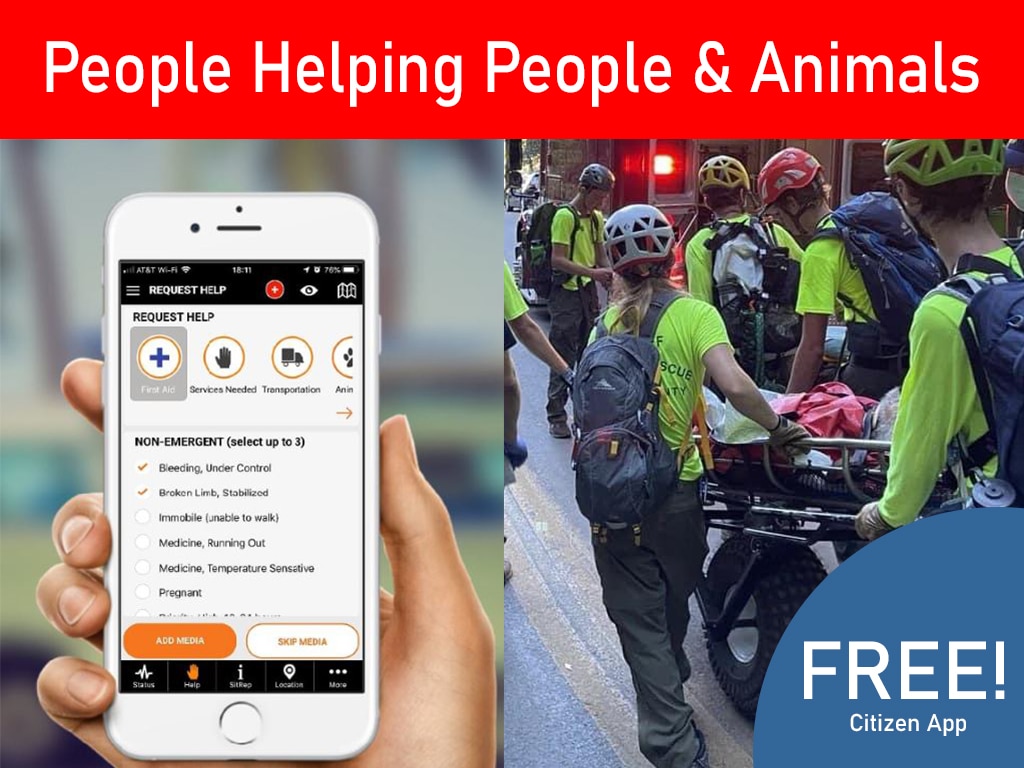
Community reporting is especially valuable when it is structured. Residents often see blocked roads, downed trees, isolated neighbors, damaged facilities, and changing conditions before an agency team can reach the area. Their local intelligence should reach operations staff quickly, but it also needs triage rules. Not every report requires dispatch, and the dashboard should help staff categorize, validate, assign, or close reports with a documented reason.
Mission, work order, and dispatch control
Awareness does not resolve a request. A dashboard must move work from reported to assigned, in progress, and complete. That requires a visible queue of missions, work orders, or tasks with owners, priorities, deadlines, status history, and related notes.
Dispatch leaders need to know more than whether a unit was sent. They need to know whether the responder acknowledged the assignment, arrived, requires support, transferred the work, or completed the mission. A clear status trail reduces duplicate deployments and gives command staff a defensible record of decisions made under pressure.
The system should support different operational models. A CERT team may use short assignments for welfare checks and damage assessments. A larger emergency operations center may coordinate multi-agency missions with resource requests, operational periods, and supervisor approvals. The underlying principle is the same: every request should have an accountable next step.
Responder and volunteer readiness at a glance
Sending available people is not the same as sending ready people. An operations dashboard should show who is active, what roles they are authorized to perform, their certifications, completed training, availability, contact method, and current assignment.
This protects both the public and responders. A volunteer may be willing to help with debris removal but not qualified for traffic control, medical support, or damage assessment. A coordinator should be able to match needs with verified capabilities rather than relying on memory, informal chat threads, or an outdated roster.
Readiness information is also a blue-sky capability. Maintaining records between disasters makes gray-sky activation faster and safer. Training expirations, missing documents, and staffing gaps are easier to address before an incident than during one.
Communications that are tied to the work
Teams need alerts, updates, and instructions, but messages lose value when they are disconnected from the incident or assignment they concern. The dashboard should connect operational communications to locations, missions, teams, and changing conditions.
At the command level, leaders need the ability to issue targeted alerts to specific groups rather than sending every message to every person. Field personnel need concise updates they can act on. Citizens need trusted information that explains what is happening, what actions to take, and how to request help or report conditions.
Two-way communication is essential. A public alert may prompt residents to report a new hazard. A dispatcher may ask for clarification on an assistance request. A field team may update a mission from the scene. When those exchanges are retained with the relevant record, the organization avoids a common failure point: decisions based on partial conversations scattered across personal devices.
Security, permissions, and an audit trail
Emergency coordination handles sensitive information. Assistance requests may include personal contact details, medical considerations, locations of vulnerable residents, or details that should not be visible to the public. A useful dashboard applies role-based access so each user can see and do what their responsibilities require.
Security should not slow operations unnecessarily. It should make appropriate action easier by protecting records, preserving changes, and clarifying accountability. Audit history is particularly valuable after an incident, when organizations need to review when a report was received, who assigned it, what resources were used, and how it was resolved.
Cloud access also matters when offices are inaccessible or staff are distributed. Still, access needs controls. The goal is not unrestricted visibility. It is dependable access for authorized people working from the locations where the incident requires them to be.
Build the Dashboard Around Decisions, Not Data Volume
More data does not automatically produce better situational awareness. A screen crowded with every possible metric can hide the few items that demand immediate action. The dashboard should make urgent, overdue, unassigned, and geographically concentrated needs easy to identify.
For command staff, that may mean a concise view of open high-priority requests, deployment capacity, major hazards, and operational bottlenecks. For a volunteer coordinator, it may mean pending applications, available qualified members, missing certifications, and unfilled shifts. For a field supervisor, it may mean today’s assignments, navigation details, safety notices, and a simple way to update progress.
This is where configuration matters. A small community organization does not need the same command display as a regional emergency management agency. The core records can be shared while views, permissions, and workflows reflect each group’s mission.
Make Reporting Useful After the Response
The best dashboard continues to serve the organization after immediate danger passes. Leaders need to understand response volume, mission completion times, recurring request types, volunteer participation, unmet needs, and resource use. These records support recovery planning, partner reporting, grant documentation, training improvements, and future preparedness.
Data quality is the trade-off. Requiring too many fields during a fast-moving incident can delay intake. Capturing too little makes follow-up and analysis difficult. The practical approach is to collect a small set of essential information first, then add detail as the request is reviewed, assigned, and completed.
PubSafe brings these operational needs into one purpose-built environment: community reporting, live mapping, volunteer and credential management, alerts, dispatch activity, help requests, and work orders can remain connected from initial report through resolution.
A dashboard earns trust when it helps people make the next right decision. Build it around the questions your teams face at 2 a.m.: What happened, who needs help, who can respond safely, where should they go, and what still remains undone? When those answers are clear, communities can respond faster and more effectively.