
When a storm, wildfire, or other emergency affects a neighborhood, an HOA board can quickly become the connection point between residents, property managers, and local responders. Phone trees and scattered group chats may share a warning, but they rarely show who is safe, who needs help, or which information is current.
Emergency preparedness software for HOAs gives boards a shared way to send targeted alerts, collect resident check-ins and wellness updates, organize incident information, and coordinate next steps. The right platform bridges the gap between an emergency notification and an informed community response.
That capability is most useful when it supports a clear plan rather than attempting to replace one. Before choosing features, an HOA should define its hazards, communication responsibilities, resident support needs. And coordination procedures so its technology reinforces the way the community is expected to respond.
What Should an HOA Emergency Preparedness Plan Include?
A complete HOA emergency preparedness plan gives the board and residents clear direction before a storm, wildfire, flood, utility failure, or other crisis disrupts normal operations. It should identify local risks, assign decision-making authority, define protective actions, establish communication procedures, and confirm that essential supplies and service providers are ready. Without that structure, an HOA can be left scrambling for authority while residents lack the guidance they need.
Contact PubSafe to help your board turn emergency planning into an organized, actionable process.
Start with local risks and governing requirements
Begin with a risk assessment specific to the community. Review the likelihood and potential impact of severe storms, wildfires, floods, earthquakes, health emergencies, security incidents, and utility failures. Local fire departments and emergency management offices can help the board understand hazards that may not be obvious from property records alone.
The plan should also align with the HOA’s governing documents, insurance requirements, and applicable local regulations. That alignment helps clarify what the board can authorize, how common areas will be managed, and when professional or public emergency services should be contacted. FEMA describes planning as a way to engage the whole community and establish a framework for roles and responsibilities. FEMA also notes that community preparedness can reduce losses by up to 30%.
Define roles, protective actions, and communication
List board members, property managers, maintenance contacts, vendors, and other participants by role, with backups where possible. Specify who monitors conditions, who contacts emergency services, who manages facilities, and who communicates with residents. Training and periodic exercises help people understand those responsibilities before an incident occurs.
For each major hazard, document the appropriate protective action. Depending on the situation, that may include evacuation, sheltering, shelter-in-place, or restricting access to unsafe areas. The plan should identify routes, assembly points, accessible options, and procedures for communicating changes.
Prepare supplies and maintain the plan
Supply readiness may include first-aid materials, backup power considerations, protective equipment, contact lists, building access information, and agreements with contractors. Keep emergency procedures, vendor contracts, and insurance information in a location authorized board members can reach during an incident.
Review the plan after exercises, major property changes, new regulations, or significant incidents. A plan that is current, assigned, and practiced is far more useful than a document stored and forgotten.
How Does Emergency Preparedness Software for HOAs Simplify Check-Ins and Wellness Checks?
During an emergency, an HOA board needs more than a broadcast message. It needs a reliable way to learn which residents are safe, identify unanswered check-ins, and direct attention to people who may need help. Emergency preparedness software for HOAs gives board members one shared operating picture instead of scattered texts, spreadsheets, and phone calls.
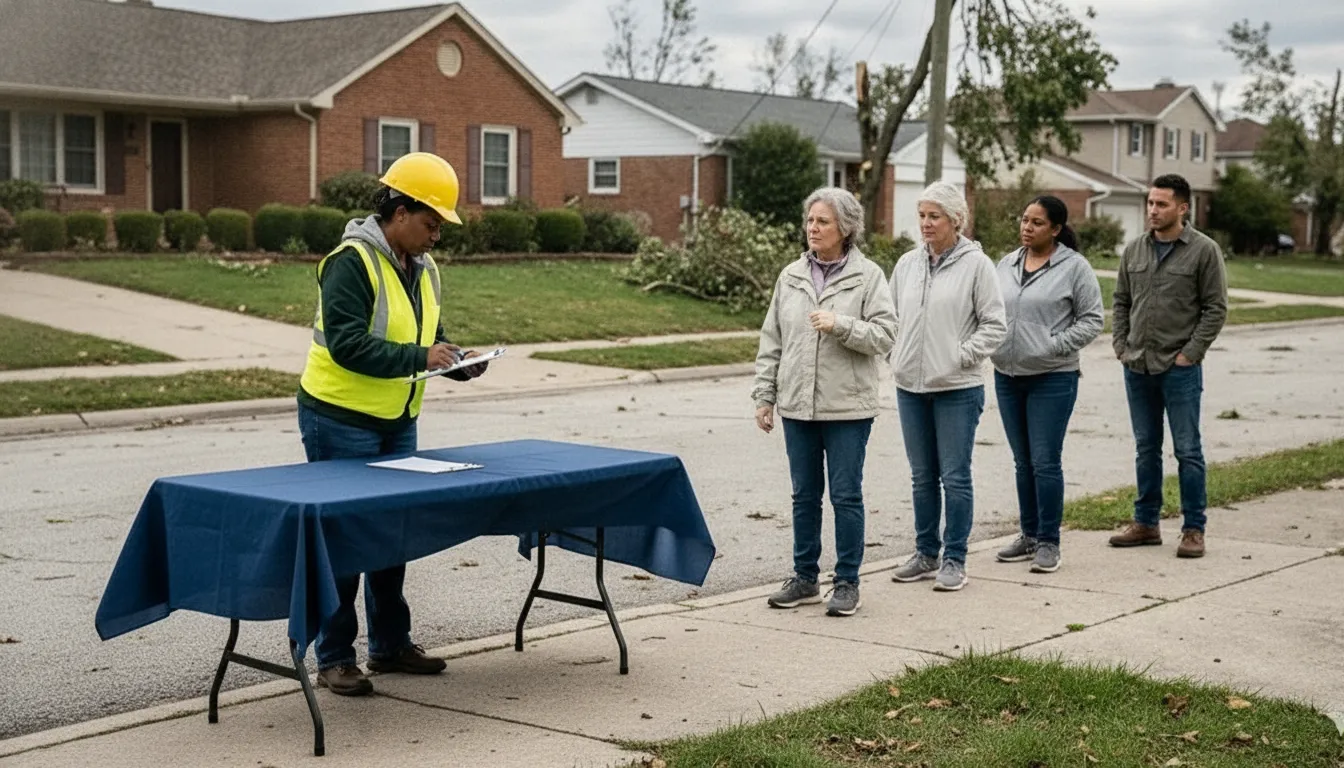
With PubSafe, residents can provide real-time status updates and wellness-check information through a connected platform. A coordinator can review updates at the neighborhood or street level, use precise geographic targeting for communication, and follow up where information is incomplete. That helps the board move from asking, “Has anyone heard from this household?” to making a documented, organized response.
Turn resident check-ins into actionable information
A check-in process should be simple enough for residents to use under stress. The HOA can ask residents to report a status such as safe, need assistance, or unable to respond. As updates arrive, authorized coordinators can identify patterns, prioritize follow-up, and share relevant information with the people responsible for response. The platform’s status-update and wellness-check capabilities support this two-way flow, helping residents contribute information rather than receiving alerts passively.
That distinction matters after a storm, wildfire, flood, or extended utility failure. A single unanswered message does not prove that a resident is in danger. But a centralized record helps the board assign follow-up without duplicating calls or losing track of a concern. It can also support neighborhood-level communication when one part of the community faces different conditions from another.
Keep critical HOA information available from anywhere
Check-ins are only one part of the response. Board members may also need emergency procedures, vendor contracts, insurance information, facility details, and contact information while away from the management office. Digital preparedness tools allow these documents to be centralized and retrieved from anywhere. Reducing the risk that a key file is trapped in one person’s email or on a computer inside an inaccessible building. The value of this document access is especially clear when the board must coordinate a contractor, confirm coverage details, or make decisions about common-area damage.
PubSafe is designed to serve as a resilient coordination layer for the community. It connects resident status information, targeted communication, and operational context in one place, while a low-cost, no-per-user approach can fit the practical budget constraints of many HOAs. Boards can review the emergency preparedness app for neighborhood groups to see how the model supports community readiness without making every additional resident a separate software expense.
How Do You Share Emergency Alerts With Residents Fast?
The first minutes of an emergency are the most critical, so an HOA should not be deciding how to communicate while a hazard is unfolding. FEMA and Ready.gov guidance emphasizes defining protective actions and warning protocols in advance. For a community, that means documenting what residents should do for each likely hazard, then making those instructions easy to deliver and follow.
Start with action-specific protocols. A wildfire may require evacuation, while a nearby hazardous-material release may require sheltering in place. A violent threat may require a lockdown. The Ready.gov emergency response guidance specifically identifies evacuation, shelter, shelter-in-place, and lockdown as protective actions to address in emergency planning. Each HOA protocol should identify who authorizes the message, which areas are affected, where residents should go, and when the instruction changes.
Emergency preparedness software for HOAs can turn those protocols into a repeatable alert workflow. Board members or authorized managers can select the appropriate scenario, target the affected neighborhood or building. And send a concise instruction without searching through old emails or contact lists. A centralized system also gives the board one place to update procedures as risks, access points, or community leadership change.
Use multiple channels rather than assuming every resident will see one notification. A strong alert system may combine mobile push notifications, text messages, email, and a web-based status page. Multiple delivery paths are especially important when residents have different devices, notification settings, accessibility needs, or connectivity conditions. Keep the message short and put the protective action first.
What should a resident emergency alert include?
- The hazard and affected area: State what is happening and which buildings, streets, or community zones are involved.
- The action to take: Say “evacuate,” “shelter in place,” or “lock down” plainly, with no ambiguous phrasing.
- Timing and next update: Include when residents should act and when they can expect more information.
- A trusted source: Identify the HOA, property manager, or emergency authority responsible for the notice.
- Follow-up instructions: Provide the safest available route, check-in method, or contact point when appropriate.
Communication should continue after the immediate danger. Ready.gov recommends identifying how communication will occur during and following an emergency. An HOA can use the same system to share re-entry guidance, service updates, resident check-ins, and verified recovery information. That continuity helps prevent rumors and gives board members a clearer view of what residents need next.
How Does PubSafe Help HOAs Coordinate Community Response?
Effective HOA preparedness depends on more than storing an emergency plan. Board members, property managers, residents, vendors, and public safety partners need a shared way to understand the situation and act on assigned responsibilities. FEMA describes a shared planning community as a way to improve integration, synchronization, and plan maintenance. PubSafe brings that collaborative approach into one resilient coordination layer.
Instead of relying on a binder in an office and scattered email threads. An HOA can use PubSafe to organize its response community, share current information, and keep residents aligned when normal communication becomes difficult. The how the PubSafe coordination platform works overview shows how the platform connects people, information, and response activity.
Build a shared operating picture
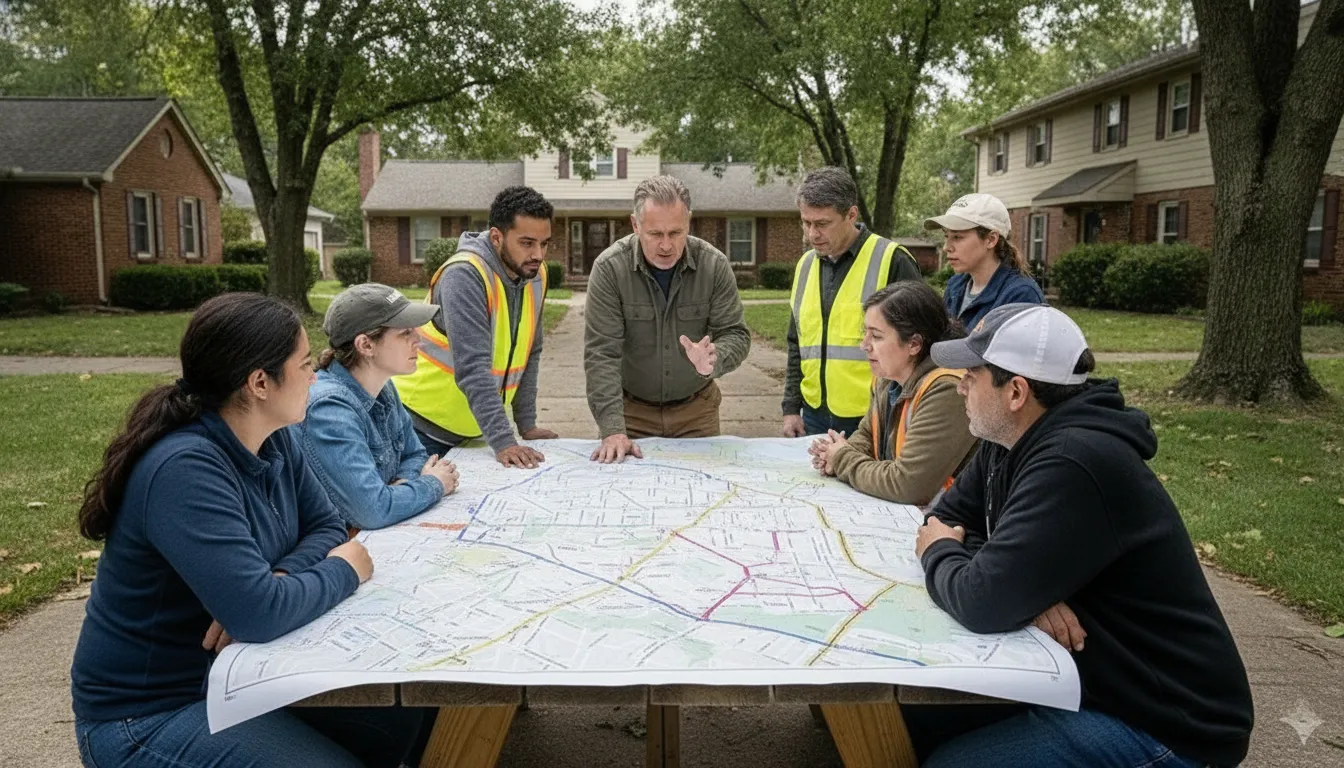
An HOA can define practical roles before an incident: who confirms resident status. Who communicates updates, who checks common facilities, who contacts vendors, and who coordinates with local responders. Training residents and other participants on their roles makes the plan actionable rather than theoretical. FEMA’s Ready.gov guidance specifically recommends training personnel to fulfill their responsibilities and using exercises to practice the plan.
PubSafe can support that process by giving the community a common place to coordinate check-ins, document conditions, and share updates. Exercises can reveal gaps, such as an outdated contact, an unclear escalation path, or a resident group that needs another communication method. The board can then refine the plan before an actual emergency tests it.
Connect the HOA with public emergency services
PubSafe does not replace 911, fire departments, emergency management offices, or other public emergency services. It helps an HOA coordinate its own people and information so those partners receive clearer, more useful updates. Ready.gov recommends coordinating emergency planning with public emergency services before an incident, not improvising that relationship during one.
That distinction matters. For a board, an apartment community emergency preparedness guide can clarify the difference between HOA planning and property-management operations. A board can establish communication expectations, identify decision-makers, and practice how information will move between residents, association leadership, vendors, and responders. For HOAs seeking emergency preparedness software for HOAs, the goal is not another isolated alert tool. It is a practical system for connecting plans to people and real-world action.
| Response need | Traditional binder and email approach | Dedicated emergency preparedness software |
|---|---|---|
| Check-ins | Replies are scattered across inboxes and may be missed. | Updates can be organized in a shared response workflow. |
| Alerts | Messages depend on manually maintained lists and forwarding. | Residents and leaders have a central channel for timely updates. |
| Document access | Key plans, contracts, and policies may be stored in one physical location. | Authorized users can access current information from the field. |
| Resident roles | Responsibilities may remain unclear until an incident occurs. | Roles can be assigned, practiced, and refined before an emergency. |
| Cost model | Low software cost, but significant coordination burden. | Flat-rate PubSafe pricing avoids per-user pricing, helping the model fit community budgets. |
How Much Does Emergency Preparedness Software Cost for an HOA?
For an HOA board, the cost question is practical: Will the tool fit the association’s budget. And will residents actually be able to use it when conditions are changing? Pricing models vary. Some platforms charge by the number of residents, users, or messages, while others use a flat organizational rate. A per-resident model can become harder to predict as a community grows or as more board members and volunteers need access.
Flat-rate pricing gives boards a clearer way to budget for readiness. PubSafe offers a web portal for organizations at $99 per year after a 90-day trial, according to its product information. The portal includes incident monitoring, mapping, situation report creation, and tools for neighborhood-level communication. Review the current details on flat-rate PubSafe pricing before making a purchasing decision, since offerings and terms can change.
Compare the total cost, not just the subscription
The lowest monthly price is not always the lowest-cost option. Boards should also consider whether a platform requires separate charges for additional administrators, resident accounts, geographic alerts, storage, or emergency messaging. A tool that limits access to one or two people may create a single point of failure when a property manager is unavailable.
Ask whether the software supports the work your association already needs to do. Can board members access procedures, vendor details, and insurance information from different locations? Can residents provide status updates or request help? Can the association communicate with a specific neighborhood or street instead of sending every alert to everyone? These capabilities make a preparedness platform useful during routine operations as well as during an emergency.
PubSafe is designed to support communication and coordination at the community level, including real-time crowdsourced information and wellness checks. That can help an HOA move beyond a static PDF stored in an office and toward a shared operating picture that authorized people can update.
Preparedness is an investment in response capacity
A plan and the software that helps people use it should be evaluated as response infrastructure, not simply as another association expense. FEMA describes collaborative planning as a way to improve integration, synchronization, and plan maintenance across a community. Similarly, Ready.gov emphasizes defining responsibilities, documenting resources, and practicing emergency procedures before an incident.
One researched estimate indicates that a well-structured plan can reduce emergency response times by up to 30%. The exact result will depend on the HOA’s hazards, participation, training, and implementation, so boards should treat that figure as a planning benchmark rather than a guarantee. The underlying value is more dependable: when responsibilities, contacts, alerts, and resident updates are organized before a crisis. People spend less time searching for information and more time acting on it.
Without a plan, an HOA may be forced to improvise authority, communication, and resource coordination while residents wait for guidance. A budget-conscious board does not need the most elaborate system. It needs an affordable, accessible tool that supports the association’s priorities and can scale with its community.
Build HOA Resilience With the Right Tools
An HOA emergency preparedness plan is more than a document stored in a board folder. It gives leaders a practical way to protect residents, manage shared facilities, assign responsibilities, and reduce confusion when conditions change quickly. Without a plan, boards may be forced to make decisions from scratch while residents wait for guidance.
The right technology turns that plan into an operating system for the community. Emergency preparedness software for HOAs can make resident check-ins, status updates, alerts, and response coordination easier to manage from one place. A no-per-user pricing model also makes these capabilities more realistic for associations that need broad participation without adding a fee for every household.
Start with the risks most relevant to your property, then define who communicates. Who checks common facilities, how residents request help, and which protective actions apply to each hazard. Keep vendor information, procedures, and other critical resources accessible to authorized board members. FEMA emphasizes that shared planning improves integration and makes plan maintenance more efficient, while Ready.gov recommends practicing emergency plans and clarifying roles before an incident.
Preparedness is an investment in faster, calmer decisions. One researched planning benchmark indicates that a scalable plan can reduce emergency response times by up to 30%: review emergency response planning guidance and test your process with the people expected to use it. When residents know where to receive updates and board members can see the community status, an HOA becomes safer and more connected.
- Protect residents and shared facilities with clearly assigned responsibilities.
- Use check-ins, alerts, and centralized information to turn plans into action.
- Choose flat-rate tools that support community-wide participation.
- Review and practice the plan so response improves before a crisis occurs.
Frequently Asked Questions
What is an HOA emergency preparedness plan?
An HOA emergency preparedness plan is a documented framework for protecting residents, managing common areas, communicating during incidents, and assigning responsibilities. It should address likely local hazards, evacuation or shelter procedures, resident check-ins, emergency contacts, supplies, vendors, and coordination with public emergency services.
Who is responsible for creating an HOA emergency plan?
The HOA board is responsible for overseeing the plan, but effective preparation should include property managers, maintenance staff, vendors, residents, and local emergency partners. Assign specific roles, identify backup contacts, and make sure the people expected to act can access the latest procedures.
How can emergency preparedness software benefit HOAs?
Emergency preparedness software gives an HOA a shared place to organize procedures, contact information, incident updates, and resident status reports. It can help board members send targeted alerts, collect check-ins, track developing needs, and coordinate actions instead of relying on scattered texts, email threads, or paper records.
What tools are essential for HOA disaster preparedness?
Start with reliable resident communication, emergency check-ins, document storage, contact and vendor records, incident reporting, and a way to share current instructions. The best toolset supports both routine updates and urgent response, so the board can practice using it before an emergency occurs.
How often should an HOA board review its emergency plan?
Review the plan at least twice a year and whenever the community experiences a major change, such as new leadership, construction, updated vendor contracts, or a significant incident. Test key communication and check-in procedures during reviews, then record what needs to be improved.
Ready to Strengthen Your HOA Emergency Plan?
The right coordination tools can help your board organize emergency check-ins, share timely resident alerts, and support a more connected community response without adding per-user complexity. Contact PubSafe to try the free PubSafe app and see how it can support your HOA’s preparedness needs.


